Course Content
Module 1: Introduction to Large Language Models (LLMs) in Law
What LLMs Are (and Aren’t): A Lawyer‑Friendly Mental Model Legal Use Cases & Risk Tiers
0/5
Module 2: Fundamentals of Effective Prompt Design for Legal Tasks
The ICI Framework: Intent + Context + Instruction Advanced Prompt Techniques for Legal Work Prompt Debugging: Lost Middle, Ambiguity, and Token Hygiene
0/5
Module 3: Verifying and Validating AI-Generated Legal Content
Validation Mindset: Why Verification Is Non‑Negotiable Hallucinations in Legal Content: Red Flags & Fixes Bias, Relevance, and Fit: Quality Control Beyond Accuracy
0/5
Module 4: Ethical Considerations and Responsible AI Use in Law
Confidentiality & Data Handling: What You Can Paste Into AI Competence, Supervision, and Accountability with AI Build Your Firm AI Policy Template
0/5
Module 5: Building a Personal Prompt Library and Future Trends
Designing a Personal Prompt Library Future Trends: Specialized Legal Models, RAG, and Agents Build 10 High-Value Prompts You’ll Actually Reuse Final Assessment: Applied Prompt Engineering Scenario
0/5
Prompt Engineering for Legal Applications

Confidentiality & Data Handling: What You Can Paste Into AI

The fastest way to create risk is to paste sensitive client information into an unvetted system. This lesson gives practical rules for safe inputs.
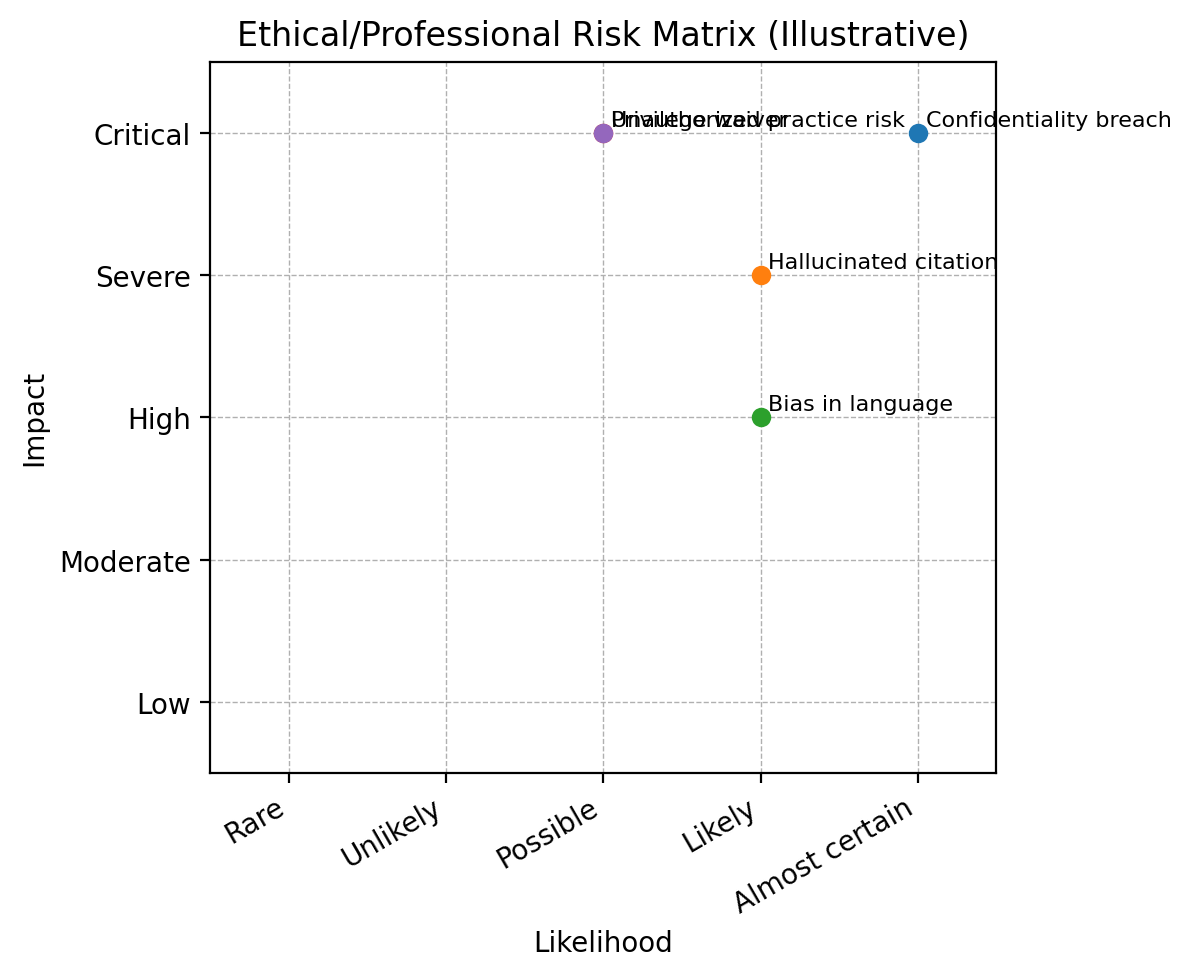
Ethical risk map: confidentiality, competence, bias, transparency, accountability.

Key takeaways

  • Confidentiality risk is tool-dependent: understand vendor settings.
  • Anonymize and minimize inputs when possible.
  • Adopt a data classification approach for AI usage.

Start with data classification

Before using any AI tool, decide what category the information falls into: public, internal, confidential, privileged, regulated (PII/PHI). Your allowed input rules should flow from that.

Safer prompting patterns

  • Use anonymized fact patterns: replace names, dates, and unique details.
  • Use excerpts: provide only the needed portion of a document.
  • Use secure environments: enterprise tools with clear retention/training controls.

Practical do/don’t list

Do Don’t
Use placeholder names (Client A / Vendor B) Paste unredacted client emails into public tools
Strip metadata and unique identifiers Upload privileged memos to unknown vendors
Log what you shared and why Assume “private” means “not retained”