
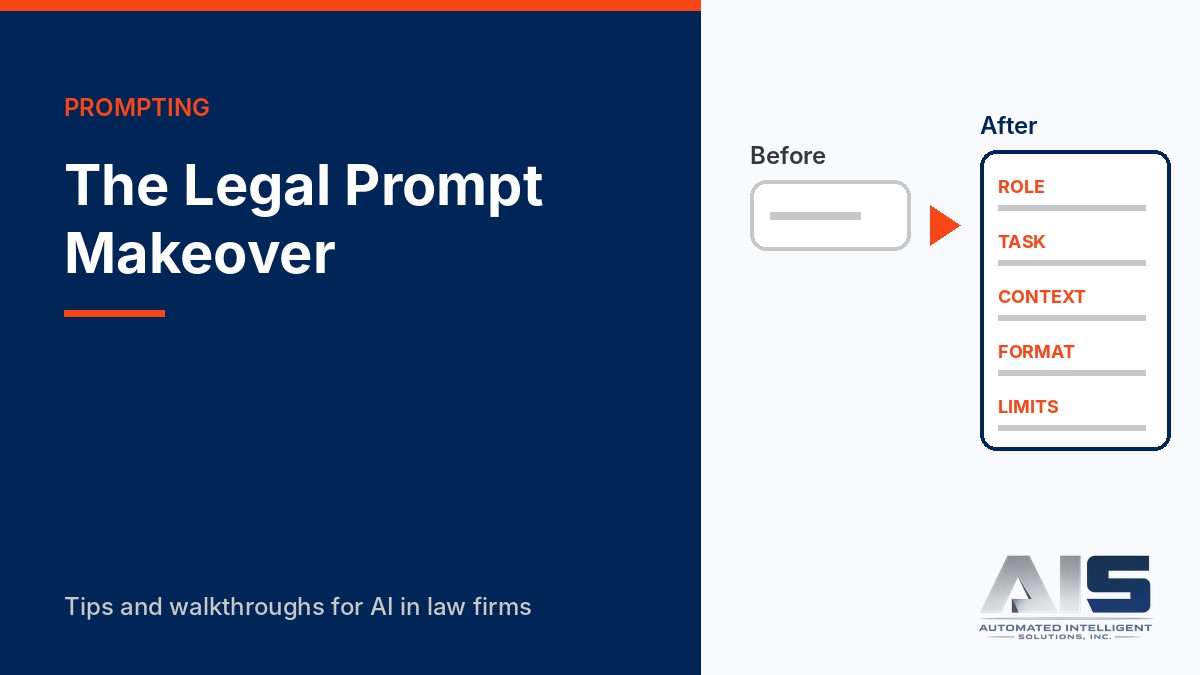
Most disappointing AI output starts with a short prompt. “Summarize this deposition” leaves the tool to guess who the summary is for, what matters, how long it should be, and what format you need. It guesses, and the guess is usually generic.
In this post we do the same task twice: a summary of a fictitious deposition transcript. Only the prompt changes.
Watch the walkthrough
This 3-minute video runs the same fictitious deposition summary with both prompts, then checks the better answer against the transcript.
Read the video transcript
Same tool, same transcript, two prompts. We summarize a fictitious deposition excerpt with a one-line prompt, then with a five-part prompt, and we compare what comes back. Then we check the better answer, because better is not the same as verified.
Here is a fictitious transcript: three pages from the deposition of Dana Ruiz in Acme Contractors versus Globex Logistics. We paste it into Copilot Chat, in the firm’s Microsoft 365 account, with a one-line instruction. Summarize this deposition.
The result is tidy. It retells the testimony by topic. But it has no page and line cites, so a partner cannot check a point without reading the transcript again. It is not organized around our issues, and it has no follow-up list. It also calls her text to Chen alleged. That word is not in the testimony.
Now the same transcript with a five-part prompt. Role: we assist a litigation associate for the defendant, Globex. Task: summarize for the supervising partner. Context: the two issues, written notice before March 1, and who approved Change Order 7. Format: an overview, a table with page and line cites, admissions, and open questions. Limits: use only the transcript, quote exactly, write Not addressed when the transcript is silent, and give no legal conclusions.
The answer follows the format we asked for. Each row in the table has a page and line cite, and the quotations match the transcript. A paralegal can check them in a few minutes.
It lists admissions helpful to Globex, each with a cite, and open questions for follow-up discovery. For example, the transcript never says what the February 22 text said. So the next step is to get the native message thread and its metadata.
Now check the work. The last sentence of the overview says that Ms. Ruiz gave her lawyers materials that included an internal Acme email. The cite is page 43, lines 1 to 8. Go to the transcript.
At line 6, the question is whether she produced the email. Her answer is, I gave everything to our lawyers. She never says that the email was in what she gave. The overview turned an evasive answer into a fact. The better prompt gave us a much better draft. It did not give us a verified one.
So before you rely on any AI summary, use a tool your firm has approved for client data. Spot-check the page and line cites. Read each quotation in context. And when a prompt works, save it in a firm prompt library, so the next person starts from a good prompt.
To learn the full method, with practice exercises, take LGTAI201, Prompt Engineering for Legal Work, at legalgpts.com.
Before: the one-line prompt
Summarize this deposition.Typical result: a tidy summary organized by topic, with no page and line cites, nothing tied to the case issues, and no follow-up list. In our test it also called the witness’s text “alleged,” a word that is not in the testimony. A partner would need to read the transcript again.
After: a five-part prompt
ROLE: You are assisting a litigation associate preparing for a summary
judgment motion for the defendant, Globex Logistics.

TASK: Summarize the attached deposition of Dana Ruiz (fictitious) for the
supervising partner.

CONTEXT: The key issues are (1) whether Acme gave written notice of the
delay before March 1, and (2) who approved the change order.

FORMAT:
- A 5-sentence overview at the top.
- A table: Topic | Testimony | Page:Line.
- A list of admissions helpful to Globex, each with a page:line cite.
- A list of open questions for follow-up discovery.

LIMITS: Use only the transcript. Quote exactly when you quote. If the
transcript does not address an issue, write "Not addressed." Do not
give legal conclusions.
Typical result: an overview, a table with page and line cites, admissions, and open questions that a partner can scan in two minutes. In our test, one sentence of the overview still added a fact the witness did not give. See “Always check the output” below.
The five parts and why they work
| Part | What it tells the tool | Why it improves the result |
|---|---|---|
| Role | Who the work is for and why | The tool chooses relevant detail, not everything |
| Task | The exact deliverable | Removes the guess about what “summarize” means |
| Context | The issues that matter | Focuses the output on your case theory |
| Format | Structure, length, columns | Gives you output you can use without rework |
| Limits | Sources, quotation rules, what to avoid | Reduces invented facts and makes gaps visible |
The Limits part does the most to protect you. “Use only the transcript” and “write Not addressed” give the tool a correct way to say that it does not know, which makes invented answers less likely. Page and line cites let a person verify each point quickly.
Three habits that make any prompt better
- Ask for the format you will actually use. If the summary goes into a memo, ask for memo headings. If it goes into a trial notebook, ask for a table.
- Iterate in the same conversation. If the first answer misses, say what is wrong (“Add the testimony about the March 3 email”) instead of starting over.
- Save prompts that work. A firm prompt library turns one person’s good prompt into a standard practice.
Always check the output
A better prompt gives a better first draft. It does not give a verified one. Before you rely on the summary, spot-check the page and line cites against the transcript, and read every quotation in its original context.
Here is what that looked like in our test. The overview said the witness gave her lawyers materials that “included an internal Acme email.” The cited lines (43:6 to 43:8) say only: “Have you produced that email?” “I gave everything to our lawyers.” The table was accurate. The overview sentence was not, and only a check against the transcript found it.
Confidentiality first
A deposition transcript is client information. Use only an AI tool that your firm has approved for client data, under terms that protect confidentiality. Do not paste transcripts into a personal account of a consumer chatbot.
Learn the method
LGTAI201: Prompt Engineering for Legal Work teaches the full method with practice exercises: prompt structure, iteration, templates for common legal tasks, and how to check what comes back.
Sources
- ABA Formal Opinion 512, Generative Artificial Intelligence Tools (July 29, 2024), on competence and confidentiality when using generative AI
- The Florida Bar Ethics Opinion 24-1 (January 19, 2024)
Current as of November 2026. Results vary by AI tool and version. Always verify AI output against the source.