Author: Jeff Kirksey

  • Making the Business Case for AI Training in Law Firms

    Making the Business Case for AI Training in Law Firms

    Making the Business Case for AI Training: A Guide for Firm Leaders

    Law firms and legal departments are rapidly piloting artificial intelligence for research, drafting, e-discovery, and operations. Tools are improving quickly, yet many initiatives stall because attorneys and staff are not trained to use them effectively and safely. This guide helps firm leaders build a clear, defensible business case for AI training that improves productivity, mitigates risk, and strengthens client value.

    Table of Contents

    Define the Business Outcomes

    Begin with outcomes, not tools. AI training must be tied to measurable firm goals. Align with practice group strategy, client expectations, and operational efficiency.

    Target Outcomes to Anchor Your Case

    • Time savings on repeatable tasks such as research, drafting, and summarization
    • Improved realization by reducing non-billable administrative time
    • Higher quality through structured peer review and AI-assisted checklists
    • Risk reduction through standardized prompt templates and guardrails
    • Faster client response times and enhanced service differentiation
    • Talent development and retention through modern, marketable skills
    Outcome to Metric Mapping
    Outcome Primary Metric Secondary Metrics Owner
    Save attorney time on first drafts Hours saved per matter Cycle time, write-off reduction Practice Group Leaders
    Reduce research iterations Search to memo time Number of sources cited, accuracy checks KM Director
    Lower risk of data leakage Incidents per quarter Policy exceptions, vendor audit findings CIO and GC
    Improve client responsiveness Response time SLA adherence Client NPS, panel scorecards Client Teams

    Calculate ROI: Costs, Savings, and Risk Reduction

    Executives will ask for numbers. Quantify your training investment against time savings, improved realization, and risk avoidance.

    Cost Model

    • Direct costs: training vendor, course authoring, facilitation time
    • Licenses: AI tools, add-ons, sandbox environment
    • Change and support: office hours, champions, documentation
    • Governance: policy development, auditing, evaluations
    Illustrative 12-Month Cost and Benefit Summary (10 Attorney Firm, Premium Training and AI Tools)
    Category Estimate Notes
    Training development and delivery $120,000 Curriculum, workshops, labs, champions
    AI licenses and sandbox $90,000 Firmwide pilot tiers and secure environment
    Governance and auditing $40,000 Policy drafting, reviews, tooling
    Change management and support $50,000 Communications, office hours, helpdesk playbooks
    Total Costs $300,000  
    Time savings benefits $520,000 Conservative 30 minutes saved per attorney per day
    Realization improvement $140,000 Reduced write-offs and admin time
    Risk avoidance $100,000 Mitigated leakage incidents and rework
    Total Benefits $760,000  
    Net Benefit $460,000 Benefit to cost ratio approximately 2.5:1
    Simple 12-Month ROI Visualization
    Months:  1   2   3   4   5   6    7    8    9   10   11   12
    Costs:   ██████████████████████
    Benefits:      ████ █████ ███████ █████████ ███████████ █████████████
    
    Legend:
    - Costs are front-loaded during setup and training.
    - Benefits ramp as adoption increases and guardrails mature.
    

    Prioritize Use Cases and Roles

    Focus on high-frequency, high-impact tasks with clear guardrails. Pair use cases with the roles that benefit most.

    Role-Based Use Cases and Training Emphasis
    Role Priority Use Cases Training Focus Expected Impact
    Litigation Associates Case law summarization, deposition prep, chronology building Prompt frameworks, cite checking, work-product preservation Faster first drafts and improved issue spotting
    Transactional Attorneys Clause variance analysis, term sheet drafting, diligence summaries Template prompts, DMS-integrated retrieval, redline review Shorter drafting cycles and fewer late-stage changes
    KM and Librarians Retrieval augmentation, taxonomy tuning, source vetting Grounding content, evaluations, citation standards Higher accuracy and trusted knowledge assets
    Legal Operations Intake triage, invoice review, playbook automation Process design, automation handoffs, metrics Lower cycle time and improved compliance
    IT and Security Guardrail enforcement, monitoring, vendor oversight Policy controls, access, logging, testing Reduced risk and stronger client assurances

    Design the Training Program

    Blend modalities to meet diverse learning preferences and ethical obligations. Training should be practical, matter-centric, and grounded in firm policies.

    Curriculum Structure

    • Foundation: AI concepts, model limitations, confidentiality and privilege
    • Tool skills: prompts, templates, retrieval with firm documents, evaluation techniques
    • Use case labs: hands-on practice with real matter scenarios and checklists
    • Governance: when to use AI, when not to, and required disclosures
    • Certification: role-specific proficiency and renewal cycle
    Training Modalities Comparison
    Modality Strengths Limitations Best Used For
    Self-paced eLearning Scalable, trackable, repeatable Lower engagement without labs Foundational topics and policy awareness
    Live workshops Interactive, immediate feedback Scheduling constraints Practice-specific use cases and prompts
    Sandbox labs Safe experimentation on real workflows Requires secure environment and support Hands-on skill building and evaluations
    Office hours and coaching Addresses real matters, boosts adoption Resource-intensive Change reinforcement and troubleshooting

    Governance, Ethics, and Risk Controls

    Training and governance must move together. Establish clear rules that map to professional duties and client commitments.

    Ethical anchors: Model Rule 1.1 on competence, including technology competence; Model Rule 1.6 on confidentiality; Rules 5.1 and 5.3 on supervision; and Rule 1.4 on client communication. Training should reinforce when disclosure is required, how to protect client information, and how to supervise AI-augmented work.

    Policy Essentials to Embed in Training

    • Approved tools and prohibited uses
    • Confidentiality controls, including no training of public models on client data
    • Attribution and citation standards for AI-assisted content
    • Human-in-the-loop review for substantive outputs
    • Logging and retention of prompts and outputs for audits

    Regulatory and Client Expectations Watchlist

    • NIST AI Risk Management Framework for risk-based controls and testing
    • ISO/IEC 27001 and SOC 2 for security posture and vendor assurances
    • Emerging AI governance standards such as ISO/IEC 42001 for AI management systems
    • Data privacy regimes that affect cross-border processing and vendor selection

    Vendor and Tool Selection for Training

    Choose tools your learners will actually use. Prioritize integrations, security, and evaluation features that support safe adoption.

    Vendor Feature Comparison for Training Readiness
    Feature Must-Have Nice-to-Have Why It Matters
    Data controls No training on firm data, data residency options Granular retention by workspace Protects confidentiality and client commitments
    Access and identity SSO, role-based access Conditional access, device trust Limits exposure and supports audits
    Document integration Secure DMS/ECM connectors Metadata-aware retrieval and redaction Grounds outputs in firm work product
    Evaluation tools Prompt templates, output scoring, logs Bias and hallucination tests Supports training, quality, and defensibility
    Deployment model Enterprise tenancy, audit reports Private model hosting Client assurance and compliance

    Change Management and Adoption

    Training is necessary but not sufficient. Pair it with change tactics that make new behaviors easy and rewarding.

    • Executive sponsorship with clear messages about safe, valuable use
    • Practice champions who co-create prompts and checklists
    • Recognition programs tied to measurable outcomes
    • Just-in-time learning embedded in tool tips, templates, and matter kickoff
    • Client-facing stories where AI improved value and outcomes
    Adoption Funnel Example
    Audience        Aware      Trained     Active Users     Proficient
    Attorneys       ████████   ██████      █████           ████
    Staff           ████████   ███████     ██████          █████
    Goal %          100%       80%         60%             40%
    

    Measurement and Reporting

    Decide how you will prove value before you launch. Design lightweight metrics that do not burden attorneys and that you can pull from systems you already use.

    Sample KPI Dashboard Metrics
    KPI Baseline Target Data Source Reporting Cadence
    Average time to first draft memo 4.0 hours 2.5 hours Timekeeping and DMS timestamps Monthly
    Write-offs per matter 7.5% 5.5% Finance system Quarterly
    Policy exceptions filed 10 per quarter 3 per quarter Compliance logs Quarterly
    Training completion rate 0% 85% LMS Weekly during rollout
    User satisfaction N/A 4.2 out of 5 Pulse surveys Monthly

    90-Day Implementation Roadmap

    Use a short, iterative plan to prove value and refine quickly.

    90-Day Plan Overview
    Week Milestone Deliverables Owner
    1 to 2 Scope and governance AI policy v1, approved tools, risk checklist GC, CIO
    3 to 4 Curriculum design Role maps, prompts, evaluation rubrics KM, Practice Leads
    5 to 6 Sandbox setup Secure environment, connectors, logs IT, Security
    7 to 8 Pilot cohort Workshops, office hours, success stories Champions
    9 to 10 Measure and refine KPI baseline, policy adjustments Legal Ops
    11 to 12 Scale and report Executive dashboard, rollout plan phase 2 PMO

    Sample Executive-Ready Business Case Outline

    Use this outline to create a concise board or partnership deck.

    • Problem statement: Efficiency pressures, client expectations, and risk landscape
    • Objectives: Time savings, quality, risk controls, and competitiveness
    • Scope: Practice groups, roles, and use cases included in phase 1
    • Solution: Training modalities, sandbox, governance, and support model
    • Financials: Cost breakdown, quantified benefits, and payback period
    • Risk management: Policies, guardrails, vendor controls, and audit plan
    • Metrics: KPIs and reporting cadence
    • Timeline: 90-day plan and milestones
    • Decision asks: Budget approval, executive sponsors, and data access

    Download our MS Word template

    Conclusion

    AI training is not a nice-to-have. It is the operating system for modern legal work. A well-structured program delivers measurable time savings, higher quality, and credible risk reduction. Lead with outcomes, quantify the return, build governance into the curriculum, and prove value quickly through a 90-day pilot. Firms that invest now will compound benefits as tools evolve, while those who wait will face rising client demands and talent expectations without the capabilities to meet them.

    If you have 30 minutes next week, I would be happy to walk you through a personalized ROI calculation for your firm.
     

    Request Custom Training Package (user registration required)

  • How to Select a Responsible AI Training Partner

    How to Select a Responsible AI Training Partner

    How to Choose a Responsible AI Training Partner: A 5-Point Checklist

    Artificial intelligence is moving faster than most legal teams can track, yet client confidentiality, professional ethics, and reputational risk require law firms and in-house departments to move with discipline. Selecting the right AI training partner can accelerate safe adoption, reduce risk, and build durable capabilities across your practice. This article provides a practical, 5-point checklist tailored for attorneys and legal professionals to evaluate AI training providers and ensure they meet legal-grade standards.

    Table of Contents

    Overview

    Responsible AI adoption in law is not a single tool purchase or a one-time class. It is an ongoing program that blends governance, secure technology choices, legal-domain training, and change management. A competent AI training partner will not only teach prompt techniques but also operationalize guardrails, integrate with your daily workflows, and provide measurable business value without compromising professional obligations.

    The checklist below helps you interrogate vendors with the same scrutiny you apply to expert witnesses or eDiscovery providers. The goal: ensure training does more than inspire. It must reduce risk, improve quality, and create repeatable outcomes across teams, matters, and practice groups.

    Regulatory and ethics spotlight: Ask how the provider aligns training and controls with the NIST AI Risk Management Framework, ISO/IEC 42001 for AI management systems, ISO/IEC 27001 or SOC 2 Type II for security, the EU AI Act obligations for high-risk uses where relevant, and professional duties under ABA Model Rules 1.1 (competence), 1.6 (confidentiality), and 5.3 (responsibilities regarding nonlawyer assistants and vendors).

    Why the Right Training Partner Matters

    The wrong partner can introduce unacceptable risk: inadvertent disclosure of client data, overreliance on unverified outputs, or training that sparks shadow IT rather than governed adoption. The right partner helps you avoid public missteps like AI-generated citations without source verification, and instead embeds safe, defensible practices for drafting, research assistance, contract analysis, deposition prep, and discovery workflows.

    Effective partners deliver three outcomes: consistent skills, baked-in guardrails, and measurable improvements in speed and quality. They start with a risk-based approach, match solutions to your practice systems, and validate outcomes with metrics that matter to clients and firm leadership.

    The 5-Point Checklist

    1. Governance and Risk Management

    A responsible partner begins with policy and risk controls, not prompts. They should help you translate firm policies into practice-level guardrails and escalate high-risk use cases for additional review.

    Questions to ask

    • How do you align training with a written AI use policy and risk tiers for different legal tasks?
    • Do you teach and operationalize an AI risk assessment process, including impact and model risk considerations?
    • What frameworks inform your program design, such as NIST AI RMF or ISO/IEC 42001?
    • How do you address model transparency, explainability limits, and human-in-the-loop review for legal work?
    • Will you help establish an AI governance council and provide templates for approvals, exceptions, and incident response?

    Evidence to request

    • Sample AI policy and risk-tier matrix mapped to legal use cases.
    • Model and tool vetting checklists, model cards or documentation, and red-teaming procedures.
    • Escalation paths for high-risk matters and attorney sign-off requirements.
    • Training materials covering bias, limitations, and verification protocols specific to law.

    Best practice: Tie every AI use case to a clear human review step and a documented verification method. The more consequential the matter, the higher the review standard.

    2. Data Protection and Confidentiality

    Client confidentiality and data residency are nonnegotiable. Your partner must understand vendor contracts, privacy commitments, and the technical mechanics of preventing data leakage.

    Questions to ask

    • Do you restrict training to enterprise-secure tools and prevent prompts from being used to retrain third-party models?
    • Can you support private deployments or tenant isolation with audit logging, retention controls, and role-based access?
    • How do you address cross-border data transfers, Standard Contractual Clauses, and client-specific restrictions?
    • Are you familiar with requirements like HIPAA, CJIS, and GDPR where relevant to clients or matters?

    Evidence to request

    • Security attestations: SOC 2 Type II, ISO/IEC 27001; for AI governance, ISO/IEC 42001 readiness where applicable.
    • Written commitments that client data and prompts are not used to train public models.
    • Data flow diagrams, logging examples, and retention/deletion procedures.
    • Template Data Processing Addendum and incident response playbook.

    Ethics check: Tie confidentiality controls to Model Rule 1.6 and vendor oversight to Model Rule 5.3. Require written commitments that reflect your duty to safeguard client information.

    3. Legal-Grade Content and Domain Expertise

    Generic AI instruction misses the nuances of privilege, work product, and jurisdictional differences. Legal-grade training is grounded in the workflows and risks of specific practices.

    Questions to ask

    • Who develops the curriculum and who teaches it? Are instructors lawyers or experts with deep legal-operations experience?
    • Do you cover legal-specific failure modes, such as hallucinated citations, privilege waiver risks, and jurisdictional variation?
    • How do you teach evidence-based prompting, retrieval-augmented generation, and citation verification for legal research and drafting?
    • Can content be tailored for eDiscovery, investigations, regulatory comment drafting, and contract lifecycle tasks?

    Evidence to request

    • Practice-area syllabi with realistic exercises using tools your teams actually use, such as iManage, NetDocuments, Relativity, and Microsoft 365.
    • Templates for verification logs, authority checklists, and chain-of-thought externalization without exposing confidential reasoning.
    • Case studies demonstrating measurable outcomes in a legal context, not generic office tasks.

    4. Training Design and Change Management

    Sustainable adoption requires more than a one-off seminar. Look for programs that build habits, create champions, and fit seamlessly into existing matter workflows.

    Questions to ask

    • Do you offer role-based pathways for partners, associates, paralegals, and legal operations?
    • Are there hands-on labs, scenario-based simulations, and supervised practice on real, sanitized matter materials?
    • Will you help set up guardrails in the tools themselves, including pre-approved prompts, red flags, and forbidden patterns?
    • How do you prevent shadow IT, and how do you guide users to safe, approved tools?

    Evidence to request

    • Change plan with communications, office hours, and a champions network across practice groups.
    • Standard operating procedures, quick-reference cards, and prompt libraries vetted by practice leadership.
    • Integration guidance for your DMS, matter management, research platforms, and contract systems.

    5. Measurement, Auditing, and ROI

    Leadership will ask for proof. Your partner should help define value hypotheses, collect baseline metrics, and produce auditable results without compromising confidentiality.

    Questions to ask

    • What pre- and post-training metrics do you capture for speed, quality, and risk reduction?
    • Can you support quality audits, peer review sampling, and incident reporting with trend analysis?
    • Do you provide dashboards or reports suitable for clients and executive committees?
    • Will you help build a continuous-improvement loop tied to firm priorities and client feedback?

    Evidence to request

    • Sample scorecards showing time saved per task, reduction in rework, and verification pass rates.
    • Adoption analytics, including active users, frequency, and use-case mix by practice area.
    • Audit artifacts for at least one prior engagement, redacted as necessary.

    Vendor Comparison Quick Reference

    Responsible AI Training Partner Feature Comparison
    Checklist Area What Good Looks Like Evidence to Request Red Flags
    Governance Program anchored to NIST AI RMF and firm policy, risk-tiered controls, attorney sign-off Policy templates, risk matrices, model documentation, escalation playbooks Focus on prompts only, no risk tiers, no escalation or documentation
    Data Protection Enterprise-safe tools, no training on your data, auditable logs, data residency options SOC 2 Type II or ISO 27001, DPA, data flow diagrams, deletion SLAs Public tools with unclear data use, no audit logs, vague privacy language
    Legal Expertise Legal-domain instructors, practice-specific curricula, verification-first methods Syllabi, legal scenarios, citation and privilege safeguards Generic office training, no legal scenarios, no verification steps
    Change Management Role-based pathways, hands-on labs, champions, approved prompt libraries Change plan, SOPs, integration guidance for your systems One-time webinar, no adoption plan, promotes shadow IT
    Measurement Baseline and post metrics, audits, client-ready reporting Scorecards, dashboards, audit artifacts No measurement framework, no proof of outcomes
    Use this table during vendor interviews to validate claims with documentation.

    AI Readiness vs Risk Chart

    Organizational Readiness and Risk Trajectory
    Stage Characteristics Typical Risk Level Key Controls to Add
    Ad Hoc Individual experimentation, no policy, public tools High AI policy, approved tools list, confidentiality guidance
    Piloting Small use cases, emerging champions, partial logging Medium-High Risk tiers, model vetting, verification templates
    Programmatic Role-based training, SOPs, adoption metrics Medium Formal audits, incident response, client reporting
    Optimized Integrated workflows, continuous improvement Low Periodic red-teaming, third-party attestations
    As controls and training maturity increase, risk decreases from high to low.

    Suggested 90-Day Pilot Roadmap

    90-Day Responsible AI Training Pilot
    Timeline Objectives Deliverables Metrics
    Weeks 1-2 Define use cases, risks, and success criteria AI policy draft, risk-tier matrix, baseline time-quality measures Baseline hours per task, current error rates
    Weeks 3-6 Hands-on training and guarded experimentation Role-based labs, approved prompt library, verification checklists Adoption rate, verification pass rates
    Weeks 7-10 Integrate into workflows and tools SOPs, DMS and research workflow guides, logging Time saved, reduction in rework
    Weeks 11-12 Audit and report outcomes Pilot report, incident analysis, scale plan ROI estimate, risk trend, client-facing summary
    A 90-day plan balances speed with governance and measurable outcomes.

    Conclusion and Next Steps

    Responsible AI in legal practice is achievable when you pair practical skills with robust governance and measurable results. A strong training partner will help you do all three. Use the 5-point checklist to separate inspirational training from legal-grade capability building, insist on documentary evidence, and pilot with clear controls and metrics. The result is faster, safer work product that stands up to client and court scrutiny.

    • Start with a focused pilot where risk is manageable and value is visible.
    • Require written commitments on data protection and verification standards.
    • Measure outcomes rigorously, then scale what works.

    Ready to explore how A.I. can transform your legal practice? Reach out to legalGPTs today for expert support.

  • Top 5 AI Risks Every Attorney Should Know
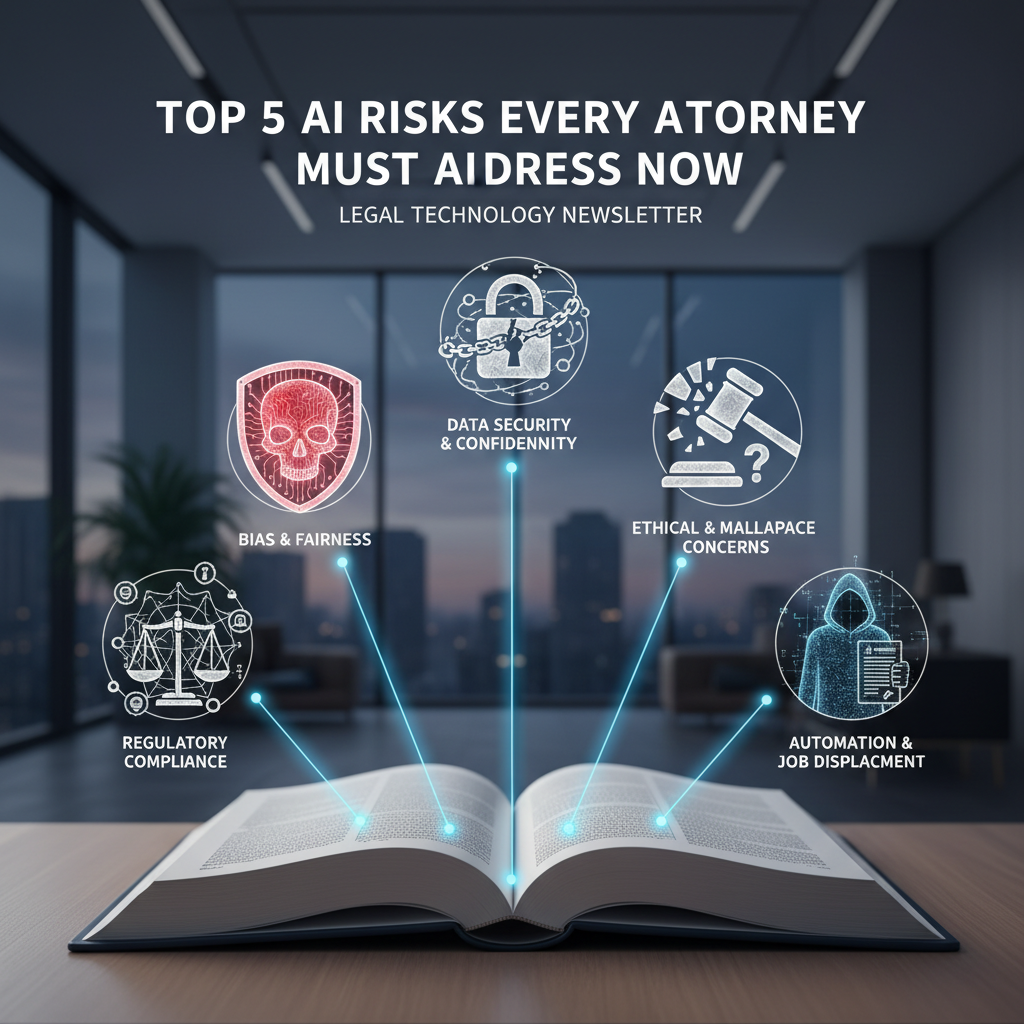
    Top 5 AI Risks Every Attorney Should Know

    The Hidden Landmines: Top 5 AI Risks Every Attorney Should Know

    Table of Contents

    Why AI Risk Management Matters Now

    Artificial intelligence is moving from novelty to necessity in the legal sector. Firms are automating intake, accelerating legal research, and drafting first-pass documents with generative systems. The upside is clear: more scale, faster turnaround, and measurable cost savings. The risk profile is also clear: unvetted AI can expose confidential information, invent sources, embed bias, and weaken professional judgment. For attorneys bound by duties of competence, confidentiality, and supervision, AI is not a gadget. It is a system that must be governed.

    Ethics spotlight: ABA Model Rule 1.1 (Competence) includes understanding the benefits and risks of relevant technology. Model Rule 1.6 (Confidentiality) and 5.3 (Responsibilities regarding nonlawyer assistance) apply when using third-party AI tools.

    Visual: AI Risk Heatmap for Law Firms

    Likelihood and impact ratings are generalized for typical firm use. Your ratings should reflect matter type, client sensitivity, and jurisdiction.
    Risk Likelihood Impact Overall Exposure
    Confidentiality leakage High Severe Critical
    Hallucinations High High High
    Bias and fairness Medium High High
    Erosion of expertise Medium Medium Moderate
    Data security and breach Medium Severe High

    Risk 1: Confidentiality and Privilege Leakage

    What this looks like in practice

    Lawyers paste client facts or draft briefs into a public AI chatbot and receive useful suggestions. Behind the scenes, those inputs may be logged, used to improve the model, or routed to third-party processors. Even if the vendor promises not to train on your data, telemetry, metadata, or prompt logs can still persist. If the model later generates similar content for others, you may have a privilege problem and a client trust problem.

    Hidden pitfalls

    • Autocomplete in productivity suites can surface snippets from earlier documents handled by the same tenant if access controls are misconfigured.
    • Prompt history syncing across devices can store client data in consumer accounts outside firm control.
    • Cross-border data transfer in the AI workflow can trigger regulatory obligations that conflict with client instructions.

    Mitigation checklist

    • Use enterprise AI tools with tenant isolation, data residency options, and a written commitment not to train on your data.
    • Strip or mask client identifiers before using generative tools unless you are in a secured, logged, and approved environment.
    • Implement a matter-level data classification policy and block high-sensitivity content from public AI endpoints.
    • Route AI access through firm identity and access management so usage can be audited and revoked.

    Policy snippet: Attorneys and staff may only submit client or matter information to firm-approved AI systems configured with logging, encryption in transit and at rest, and contractual no-training guarantees. Public AI systems are prohibited for confidential or privileged material.

    Risk 2: Hallucinations and Fabricated Authority

    What this looks like in practice

    Generative models can output confident but incorrect statements, including invented case law or misapplied holdings. These errors are subtle and often plausible, which makes them dangerous in research memos, motion practice, and correspondence.

    Hidden pitfalls

    • Models cite real-looking case names with fabricated quotes or pin cites.
    • Jurisdictional drift where a correct principle from one jurisdiction is applied to another without noticing conflicts.
    • Temporal drift where models rely on pre-cutoff law for rapidly evolving areas.

    Mitigation checklist

    • Use retrieval-augmented solutions that ground answers in your firm library or authoritative databases and show source links.
    • Require human-in-the-loop verification and cite checking before client or court use.
    • Activate model settings that limit creativity and increase factuality for research or analysis tasks.
    • Maintain a short list of trusted legal research vendors with citator features and audit trails.

    Courtroom reality check: Several courts now require certification that filings have been reviewed by a human and that citations are verified. Even where not required, adopt the same standard internally.

    Risk 3: Embedded Bias and Fairness Failures

    What this looks like in practice

    AI models learn from datasets that reflect historical patterns. When used for tasks like ranking matters, screening candidates, or estimating litigation exposure, the system can perpetuate or amplify bias related to protected classes or socioeconomic status.

    Hidden pitfalls

    • Biased training data in vendor models is opaque to your firm but can influence results.
    • Proxy features in your own datasets can encode protected attributes indirectly.
    • Client-facing tools that appear neutral may still create disparate impact risks.

    Mitigation checklist

    • Demand vendor documentation of training data provenance and bias testing approaches.
    • Run disparate impact tests on your prompts and outputs for high-stakes workflows.
    • Use constrained prompts and decision rules that make inclusion criteria explicit and reviewable.
    • Involve a cross-functional review group, including DEI and risk, for AI use cases that affect people decisions.

    Emerging regulations: Jurisdictions are considering or have enacted AI transparency and bias assessment requirements for automated decision systems. Monitor local rules to ensure your firm and client tools meet any testing and notice obligations.

    Risk 4: Erosion of Expertise and Overreliance

    What this looks like in practice

    When AI drafts the first pass every time, junior lawyers and staff may lose opportunities to build foundational skills. Over time, teams can become less capable of spotting subtle issues, challenging assumptions, and exercising legal judgment. The result is quality drift that may not be visible until it causes harm.

    Hidden pitfalls

    • Unchecked template reuse produces stale analysis and missed developments in law.
    • Over-delegation to AI removes the struggle that builds expertise in research and drafting.
    • Metrics that reward speed without quality guardrails encourage overreliance.

    Mitigation checklist

    • Establish review protocols that require articulation of legal theories independent of AI output.
    • Use AI to augment, not replace, first-principles analysis. Prompt it to critique or stress test your position.
    • Integrate skills development: pair AI-assisted tasks with training modules and partner feedback.
    • Track outcomes and error rates to calibrate where AI adds value vs where it reduces quality.

    Practice tip: Make the human the author and the AI the assistant. Require attorneys to state the rule, apply to facts, and then compare against AI output, not the other way around.

    Risk 5: Data Security, Breach, and Chain of Custody

    What this looks like in practice

    AI tools introduce new data flows, temporary caches, and third-party processors. A breach can occur at the endpoint, in transit, or within the vendor’s infrastructure. For litigation and investigations, unlogged model interactions and ephemeral storage complicate chain of custody and defensibility.

    Hidden pitfalls

    • Local desktop clients that cache prompts and outputs unencrypted.
    • API keys stored in plaintext within practice group notebooks or scripts.
    • Silent model updates that change outputs and introduce variance without notice.

    Mitigation checklist

    • Mandate single sign-on, role-based access, and logging for all AI tools.
    • Store prompts and outputs in a secure repository with retention aligned to client and regulatory obligations.
    • Use network egress controls to block unapproved AI endpoints.
    • Require vendors to provide incident response SLAs, breach notification terms, and audit rights.
    Data flow snapshot for an approved AI drafting workflow
    Stage Data Elements Control Evidence
    Prompt creation Facts masked, no client identifiers Masking tool enforced Masking logs
    Transmission Encrypted prompt and documents TLS 1.2+, private endpoint Network logs
    Processing Tenant-isolated compute Vendor no-training contract Attestation, audit reports
    Output review Draft with citations Human verification checklist Review record, sign-off
    Retention Prompt and output Secure DMS, 90-day purge of vendor cache Retention policy, purge proof

    Vendor Diligence: What To Demand From AI Providers

    Procurement is your first and best control surface. Insist on evidence, not marketing claims.

    AI vendor due diligence checklist
    Control Area What Good Looks Like Questions to Ask
    Data use Contractual no-training on your data, optional data residency, tenant isolation Is any client data used for model improvement or analytics? Where is it stored and for how long?
    Security Encryption at rest and in transit, key management, rigorous access controls Provide SOC 2 Type II or ISO 27001. How are secrets and API keys managed?
    Privacy GDPR, CCPA alignment, DPA with subprocessors listed List subprocessors and transfer mechanisms. Support client deletion requests?
    Reliability Versioned models, change logs, uptime SLAs How are model updates communicated? Can we pin a model version?
    Auditability Comprehensive logs, exportable for eDiscovery Can we export prompt and output logs by matter and user?
    Bias and safety Documented testing, red-team results, mitigation features What bias testing do you run and at what cadence? Share the latest results.
    Support Named account owner, security incident process, response times What are the timelines for breach notification and remediation?

    A Practical 30-60-90 Day AI Governance Plan

    Build governance iteratively so you can capture value while reducing risk.

    Time-boxed plan for firms starting or formalizing AI use
    Timeline Objectives Concrete Actions
    Days 1-30 Stabilize and set guardrails
    • Publish an interim AI policy and approved tools list
    • Block public AI endpoints on firm network
    • Stand up an AI review group with IT, risk, and practice leaders
    Days 31-60 Operationalize controls
    • Enable SSO and logging for approved AI tools
    • Launch training on verification and confidentiality
    • Pilot retrieval-augmented drafting on a low-risk use case
    Days 61-90 Measure and expand safely
    • Adopt vendor due diligence questionnaires
    • Implement quality metrics and error reporting
    • Codify retention and chain-of-custody procedures for AI artifacts

    Quick Reference: Red Flags and Safe Defaults

    Red flags to stop and escalate

    • Any AI tool that lacks contractual no-training commitments for your data.
    • Outputs with citations you cannot verify in an authoritative database.
    • Requests to process protected data categories without a documented lawful basis.
    • Vendors unwilling to disclose subprocessors or provide audit reports.
    • Unlogged AI usage in matters subject to litigation holds or regulatory inquiries.

    Safe defaults to adopt now

    • Mask client identifiers by default in prompts unless in an approved, secured environment.
    • Ground AI analysis in retrieval from authoritative sources and include links.
    • Require partner or senior associate sign-off for any AI-assisted filing.
    • Pin model versions for critical workflows and document the version in the matter file.
    • Retain prompts and outputs in your DMS with matter numbers and user attribution.

    Remember: AI can improve quality when used deliberately. Make it a second set of eyes to surface options, find inconsistencies, and stress test arguments, not a replacement for legal judgment.

    Bottom line for attorneys: Treat AI like any other powerful co-counseling resource. Set scope, verify sources, document assumptions, and keep the client’s interests paramount. With the right controls, AI can deliver speed and consistency without compromising ethics or security.

    Ready to explore how A.I. can transform your legal practice? Reach out to legalGPTs today for expert support.

  • Copilot Case Studies Enhancing Legal Workflow Efficiency

    Copilot Case Studies Enhancing Legal Workflow Efficiency

    Case Studies of Copilot Enhancing Day-to-Day Legal Tasks

    Table of Contents

    Introduction: Why A.I. Matters in Today’s Legal Landscape

    Across practice areas, attorneys are adopting “copilot” tools—A.I.-powered assistants embedded in everyday applications like Word, Outlook, Teams, and document management systems—to accelerate drafting, research, review, and client communications. For many firms and law departments, the question has shifted from “Should we use A.I.?” to “How do we use it responsibly and profitably?”

    This article presents concrete, anonymized case studies showing how copilot tools enhance routine legal tasks and improve outcomes without sacrificing quality or client trust. You will also find implementation guardrails, tool comparisons, and a forward look at emerging trends and regulations shaping responsible A.I. use in legal practice.

    Case Studies: Copilot in Daily Legal Workflows

    These representative case studies combine real-world observations and commonly reported outcomes across firms and corporate legal departments. Your results will vary based on data quality, governance, and change management.

    Case Study 1: Litigation Drafting and Hearing Prep

    Context: A litigation team needed to prepare a motion and hearing outline drawing on pleadings, deposition transcripts, and email threads. Historically, associates compiled facts and citations manually.

    Copilot Approach:

    • Used Copilot in Word to draft a first-pass motion based on a partner’s outline, a style guide, and sample briefs stored in the DMS.
    • Used Copilot in Teams to generate meeting summaries and action lists after strategy calls.
    • Provided Copilot with citations to key depositions and exhibits from a secure matter workspace for targeted fact extraction.

    Outcomes:

    • Drafting time for the opening brief reduced by approximately 30–40%.
    • Fewer rework cycles due to consistent application of the team’s style guide embedded in prompts.
    • Improved hearing prep: Copilot-generated outlines mapped arguments to exhibits and prior rulings for quick reference.

    Example prompt:

    Using the case style guide and the folder “Miller_v_Summit/Key_Transcripts,” produce a 10-page motion for summary judgment. 
    Include Bluebook-compliant citations and a facts section anchored to deposition page/line cites. 
    Flag ambiguous facts in a separate comment section.

    Case Study 2: Commercial Contracts Triage and Playbooked Redlines

    Context: A corporate legal team faced a backlog of vendor NDAs and MSAs. Attorneys spent hours identifying risky clauses and drafting playbook-compliant edits.

    Copilot Approach:

    • Connected Copilot to the CLM repository and policy playbooks (including risk tiers by deal size and data sensitivity).
    • Ran first-pass analyses to extract clause summaries, map them to the playbook, and propose redlines in Word.
    • Used Copilot in Outlook to draft tailored counterparty explanations of requested changes.

    Outcomes:

    • Average review time for standard NDAs dropped from ~75 minutes to ~20 minutes.
    • Consistency increased; fewer deviations from the playbook and faster approvals from business stakeholders.
    • Attorneys focused on exceptions and strategic negotiations rather than routine clause edits.

    Example prompt:

    Analyze this NDA for data security, confidentiality duration, unilateral assignment, and governing law. 
    Compare to our “Standard NDA (Low Risk)” playbook v3. 
    Propose redlines inline and create a 1-paragraph rationale email to the vendor’s counsel.

    Case Study 3: Internal Investigations and Issue Chronologies

    Context: Compliance counsel investigated allegations involving Teams chats, emails, and shared files. Building a reliable timeline was time-consuming.

    Copilot Approach:

    • Used Copilot and the eDiscovery workspace to summarize long chat threads and extract potential “issue events.”
    • Generated a reasoned chronology with references to message IDs and timestamps.
    • Created a short findings memo and a confidential board update from the same source set.

    Outcomes:

    • Timeline assembly time reduced by ~50%.
    • Fewer missed threads; Copilot flagged conversations involving key custodians that manual review overlooked.
    • Reusable prompt templates standardized how investigators documented findings and caveats.

    Example prompt:

    From the eDiscovery review set “Project Alder,” extract all communications referencing “quarter-end variance” 
    between 5/1 and 6/30. Produce a chronology listing date, participants, and a two-sentence summary with source citations.

    Case Study 4: Client Updates, Budgeting, and Time Entry Quality

    Context: A boutique firm wanted faster client updates and better budgeting insights without adding staff.

    Copilot Approach:

    • Used Copilot in Outlook to draft succinct, client-friendly status updates from recent filings and docket changes.
    • Used Copilot in Excel to analyze time entries for block billing and narrative clarity, then suggested refined narratives compliant with client guidelines.
    • Generated budget-to-actual dashboards for partners before monthly client calls.

    Outcomes:

    • Client update drafting time reduced by ~60%.
    • Improved realization rates via higher-quality narratives and fewer invoice disputes.
    • Data-driven staffing adjustments based on task-level effort analysis.
    Figure 1: Time per Task Before vs. With Copilot (Illustrative)
    Task Baseline Hours With Copilot Visual
    Litigation brief first draft 10 6 ██████████ vs ██████
    NDA first-pass review 1.25 0.33 █▌ vs ▎
    Investigation chronology 8 4 ████████ vs ████
    Client status email 0.5 0.2 ▌ vs ▎

    Note: Bar length is illustrative; actual results vary by matter complexity and data quality.

    Key Opportunities and Risks

    Opportunities

    • Efficiency: Faster first drafts, automated summaries, and streamlined reviews accelerate throughput.
    • Consistency: Playbook-aligned redlines and style-conforming drafts reduce variability across teams.
    • Knowledge leverage: A copilot that can securely retrieve internal precedents unlocks firm know-how.
    • Client responsiveness: Rapid, high-quality updates improve client experience and retention.

    Risks

    • Confidentiality and privilege: Data leakage or improper sharing can compromise protections.
    • Accuracy and hallucinations: A.I. can fabricate citations or gloss over nuance without human verification.
    • Bias and fairness: Training data and prompts may introduce systemic bias into outputs.
    • Regulatory exposure: Emerging A.I. regulations and bar guidance require documented guardrails.

    Ethical Callout: Treat copilot outputs as work product requiring attorney supervision. Verify citations, facts, and math; maintain privilege; record your review steps. Disclose A.I. use to clients when required by ethics rules or engagement terms.

    Best Practices for Implementation

    Governance and Risk Controls

    • Data boundaries: Use tenant restrictions, matter-based permissions, and labeled repositories to limit copilot retrieval to need-to-know content.
    • Human-in-the-loop: Require attorney review of all outputs, with checklists for citations and privilege screens.
    • Logging and audit: Retain prompts and outputs for QA and ethical accountability; enable audit trails.
    • Model selection: Prefer enterprise-grade copilots that respect DLP, retention, and eDiscovery policies.

    Workflow Design

    • Standard prompts: Create prompt libraries for common tasks (e.g., “MSA risk summary,” “deposition outline,” “board memo”).
    • Templates and styles: Provide style guides and sample documents for the copilot to emulate.
    • Exception routing: Define criteria for when issues escalate beyond playbooks to senior review.
    • Feedback loops: Incorporate attorney feedback to refine prompts and knowledge sources.

    Training and Change Management

    • Role-based training: Separate modules for litigators, transactions, investigations, and operations.
    • “Guardrails-first” onboarding: Teach risks and verification techniques before speed tips.
    • Measure and iterate: Track cycle times, error rates, and client satisfaction to guide improvements.
    Risk-to-Control Matrix (Illustrative)
    Risk Control Practice Owner
    Privilege waiver Restrict sharing; use matter-labeled workspaces; train on privilege markers IT + Practice Leads
    Hallucinated citations Citation verification checklist; require source links; sampling audits Attorneys
    Bias in outputs Prompt neutral language; review for disparate impact; diverse QA reviewers Ethics/DEI + Partners
    Regulatory noncompliance Model inventory; DPIAs; policy attestation; vendor assessments GC + Compliance

    Technology Solutions & Tools

    Copilot capabilities often live where attorneys already work. Below is a practical view of common solutions and how they map to legal workflows.

    Copilot Surface / Integration Primary Legal Uses Notes on Legal-Grade Controls
    Word + Document Management (e.g., DMS) First drafts, clause rewriting, cite insertion, style conformance Respects repository permissions; enable DLP and retention policies
    Outlook + Calendar Client updates, task summaries, deadline tracking Auto-summaries should exclude opposing counsel threads by default
    Teams/Chat Meeting notes, action items, channel recap for matters Advise on privilege labels; disable external data pull for sensitive matters
    Excel Budgeting, time-entry analysis, matter performance KPIs Mask PII; restrict exports; log formula-to-text transformations
    CLM / Contract Review Plugins Playbook-aligned clause analysis and redlines Maintain clause libraries as authoritative sources
    eDiscovery / Investigations Thread summaries, entity extraction, chronologies Use legal holds; preserve provenance to support defensibility
    Knowledge Repositories Firm precedents, checklists, model forms Curate “gold source” content; track updates and approvals

    Side-by-Side: Without vs. With Copilot

    Task Without Copilot With Copilot
    Motion Draft Manual fact collation, repetitive formatting Automated first draft from outline + style guide; attorney refines
    NDA Review Line-by-line check vs. playbook Clause mapping and redlines; escalations on exceptions
    Investigation Timeline Manual message triage and timeline building Auto-extracted events with citations and timestamps
    Client Update Draft from scratch with docket references Auto-generated summary with links to filings
    • Generative A.I. embedded everywhere: Expect deeper copilot features in core productivity apps, DMS/CLM platforms, and eDiscovery suites.
    • Retrieval-augmented generation (RAG): Firms will prioritize secure, matter-scoped retrieval to ground outputs in verified sources and reduce hallucinations.
    • Regulatory evolution: The EU AI Act and increasing guidance from regulators and bar associations are pushing firms to formalize A.I. governance, including impact assessments, transparency, and human oversight.
    • Client expectations: RFPs and outside counsel guidelines are starting to ask how firms leverage A.I. responsibly to deliver faster, more cost-effective service—without compromising quality or privilege.
    • Skills shift: Prompt engineering will become a baseline competency for lawyers, much like advanced Word or Excel skills are today.

    Regulatory Watch: Track developments under the EU AI Act, privacy laws (e.g., GDPR, CPRA), and consumer protection enforcement that touch on transparency, data minimization, and risk management. Maintain a living A.I. policy and vendor inventory.

    Conclusion and Call to Action

    Copilot tools are not replacing attorneys—they are amplifying them. The most successful teams pair secure data foundations and clear guardrails with role-specific workflows and training. The result: faster turnaround, higher consistency, and better client experiences across everyday legal tasks.

    If you are ready to pilot copilot, start where value is obvious and risk is controllable: NDA triage, client updates, deposition prep, and investigation timelines. Build prompt libraries, set verification checklists, measure outcomes, then scale.

    Ready to explore how A.I. can transform your legal practice? Reach out to legalGPTs today for expert support.

  • AI Governance Frameworks for Legal Departments: Best Practices

    AI Governance Frameworks for Legal Departments: Best Practices

    AI Governance Frameworks Tailored for Legal Departments

    Artificial intelligence is reshaping legal work—from contract analysis and eDiscovery to legal research and client communications. Yet the benefits come with real risks: confidentiality breaches, biased outputs, unauthorized data transfer, and regulatory exposure. A pragmatic AI governance framework, designed specifically for legal departments, allows attorneys to harness innovation while preserving privilege, ethics, and client trust.

    Table of Contents

    Introduction: Why AI Governance Matters Now

    AI has moved beyond experimentation and into daily legal workflows. Contracts are triaged in minutes, discovery is prioritized intelligently, and research is accelerated by generative models. But without a clear governance program—grounded in legal ethics, privilege, and data protection—firms and in-house teams risk undermining accuracy, confidentiality, and regulatory compliance.

    A tailored AI governance framework gives attorneys control. It sets who can use what, for which purposes; how models are vetted; how data is protected; how outputs are validated; and how the organization monitors performance and risk over time. It ensures that the human lawyer remains accountable while leveraging AI responsibly.

    Key Opportunities and Risks

    Opportunities for Legal Departments

    • Efficiency and throughput: Automate intake, first-pass review, and routine drafting to reduce cycle time.
    • Improved consistency: Standardize clause language, playbooks, and issue spotting across matters.
    • Augmented analysis: Use AI to surface patterns in litigation data, compliance reports, and contracts.
    • Client service: Provide faster answers, self-service knowledge portals, and after-hours triage.

    Principal Risks and Controls

    The following matrix summarizes common legal AI risks and example controls.

    Risk Heat Map (Likelihood vs. Impact)
    Risk Category Examples Likelihood Impact Key Controls
    Confidentiality & Privilege Uploading privileged docs to public models; metadata leakage Medium High Private deployments, data loss prevention (DLP), redaction guards, approval gates
    Accuracy & Hallucination Fabricated citations; misapplied jurisdictions Medium High Retrieval-augmented generation (RAG), citation verification, human-in-the-loop review
    Bias & Fairness Biased risk scoring; skewed precedent selection Low–Medium Medium–High Bias testing, representative datasets, monitoring disparate impact metrics
    Regulatory & Ethical Breach of privacy law; failure to supervise nonlawyer assistance Low–Medium High Policy guardrails, role-based access, audit trails, counsel review
    Vendor & IP Opaque training data; uncertain indemnities Medium Medium Contractual assurances, model cards, SOC 2/ISO evidence, IP warranties

    Ethical note: Generative AI is a form of nonlawyer assistance. Attorneys remain responsible for supervising its use and verifying the accuracy and appropriateness of outputs before reliance or filing.

    Best Practices for Implementation

    A Governance Operating Model Built for Legal

    A practical legal AI governance framework combines policies, processes, roles, and monitoring. The model below follows a “three lines of defense” approach adapted to legal teams.

    Three Lines of Defense for Legal AI
    Line 1: Users & Practice Owners
     - Define use cases and playbooks
     - Validate outputs; apply privilege checks
     - Report incidents and model issues
    
    Line 2: AI Governance & Risk
     - Approve tools and vendors
     - Establish policies, testing, and metrics
     - Monitor compliance and drift
    
    Line 3: Audit & Oversight
     - Independent reviews and spot checks
     - Assess control effectiveness
     - Recommend remediation
      

    Roles and Responsibilities (RACI)

    Function Key Responsibilities R/A/C/I
    General Counsel (GC) Approves AI policy; adjudicates exceptions; ensures ethical alignment A
    AI Governance Lead Runs intake, testing, model approvals, and ongoing monitoring R
    Practice Leaders Define use cases, playbooks, and human review standards R/C
    IT/Security Implements access controls, logging, and DLP; vets architecture R/C
    Privacy/Data Protection Assesses data flows, cross-border processing, and retention C
    Procurement/Vendor Mgmt Negotiates AI addenda, IP/indemnities, SLAs, and audit rights R/C
    Internal Audit Independently tests controls and adherence to policy I/R

    Policy Guardrails for Legal AI

    Policy Checklist:

    • Approved Tools: Specify which AI tools are allowed and for what use cases.
    • Data Handling: Prohibit uploading client or privileged data to public models; allow only private or vendor-supported private endpoints.
    • Human Review: Require lawyer verification for any output used for advice, negotiation, filing, or client communication.
    • Citation Integrity: Mandate source citations and verification for research outputs.
    • Logging & Retention: Log prompts, sources, and key decisions; define retention consistent with legal hold policies.
    • Incident Response: Define escalation for data leakage, hallucination-related errors, and model misbehavior.
    • Accessibility & Bias: Test for bias where outputs affect people or rights; document mitigation.

    Data Governance and Privilege

    • Segmentation: Separate client matters and practice areas; enforce role-based access and need-to-know.
    • Retrieval-augmented generation (RAG): Keep sensitive content in controlled knowledge bases; do not fine-tune on privileged data without strict isolation.
    • Anonymization/Redaction: Use automated redaction before model ingestion when feasible; strip hidden metadata.
    • Legal Holds: Ensure AI stores and vector indexes are covered by hold processes and are discoverable when necessary.

    Model Testing and Monitoring

    • Pre-deployment testing: Evaluate accuracy, completeness, and jurisdictional compliance using representative datasets and red-team prompts.
    • Guardrails: Use prompt templates, system instructions, and output filters for restricted topics (e.g., legal determinations without citations).
    • Metrics: Track hallucination rate, citation validity, turnaround time, and user satisfaction; monitor for drift.
    • Periodic review: Reassess models after updates, new regulations, or material incidents.

    Training and Change Management

    • Competency: Train attorneys on prompt design, verification techniques, and ethical boundaries.
    • Playbooks: Document step-by-step workflows with checkpoints for human review and privilege scrutiny.
    • Feedback loops: Capture user feedback to improve prompts, datasets, and tool selection.

    Technology Solutions & Tools

    Common Legal Use Cases

    Use Case AI Capability Governance Considerations Output Validation
    Contract Review Clause extraction, risk scoring, playbook-based edits Model access to templates; vendor indemnities; storage location Checklist review; deviation reports; approval routes
    Document Automation Draft generation from term sheets and playbooks Template control; versioning; jurisdictional rules Attorney redline; clause library validation
    eDiscovery Technology-assisted review (TAR), clustering, prioritization Explainability; sampling methodology; defensibility records Statistical validation; recall/precision checks
    Legal Research Generative summaries with citations; retrieval from authority Citation integrity; coverage of jurisdictions; updates Citation verification; Shepardizing/KeyCite
    Client Q&A/Chat Guided self-service; triage; knowledge base retrieval Scope limitations; disclaimers; authentication Escalation to counsel for complex matters

    Vendor Evaluation Criteria

    When vetting vendors, demand transparency and contractual protection tailored to legal needs.

    Category Questions to Ask Evidence/Artifacts
    Security & Privacy Where is data processed? Is training on our data opt-in? How are secrets stored? SOC 2/ISO certifications, data flow diagrams, DPA, regional hosting options
    Model Transparency Which models are used? How are updates communicated? Are model cards available? Model cards, release notes, eval dashboards, reproducible test sets
    Legal Protections IP indemnities? Hallucination liability caps? Audit rights? Contract addenda for AI, warranties, SLAs, incident notice clauses
    Governance Features Role-based access, logs, redaction, RAG controls, policy enforcement? Admin console screenshots, API docs, policy configuration guides
    Performance & Quality Benchmarks on legal tasks? Jurisdictional coverage? Third-party evaluations, customer references, pilot reports

    Illustrative Governance-Ready Workflow

    Contract Review Workflow with Embedded Controls
    1. Intake
       - User selects approved use case and matter ID
       - System checks permissions and logs metadata
    
    2. Retrieval (RAG)
       - Model retrieves only firm-approved clause library and playbook
    
    3. Analysis
       - AI flags deviations and risk levels with source citations
    
    4. Review
       - Attorney validates suggestions; edits or rejects changes
    
    5. Output
       - Final draft generated; audit log includes sources, reviewer, timestamp
      

    Generative AI Matures for Legal

    • Domain grounding: Retrieval-augmented approaches reduce hallucinations by tying outputs to authoritative sources.
    • Vertical models: Increasing availability of models tuned for legal text, improving clause extraction and citation fidelity.
    • On-prem and private endpoints: More options for firms needing strict data residency and zero-retention guarantees.

    Regulatory Landscape to Watch

    Emerging Requirements Snapshot:

    • AI risk management standards: NIST AI Risk Management Framework and ISO/IEC 42001 and 23894 guide organizational controls and documentation.
    • Global AI laws: Jurisdictions are introducing obligations around transparency, risk classification, and conformity assessments—requiring inventories and impact assessments for higher-risk uses.
    • Privacy regulations: Cross-border data transfer, purpose limitation, and data minimization affect AI training and retrieval pipelines.
    • Court and bar expectations: Some courts, bar associations, and clients require disclosure of AI use and verification of citations.

    Evolving Client Expectations

    • Efficiency and predictability: Clients expect faster turnaround and cost-effective delivery using responsibly governed AI.
    • Transparency: Corporate clients increasingly request AI policies, vendor diligence artifacts, and quality metrics.
    • Co-creation: Joint playbooks and clause libraries with outside counsel to standardize AI-enabled reviews.

    Maturity Path for Legal AI Governance

    Many legal teams progress through stages. Use this to benchmark your program.

    Maturity Stage Characteristics Next Steps
    Ad Hoc Individual pilots, no policy, mixed tools Create inventory, approve use cases, issue interim policy
    Defined Formal policy, approved tools, basic logging Implement testing, RAG, role-based access, training
    Managed Metrics, vendor governance, periodic reviews Bias testing, scalable playbooks, cross-matter knowledge bases
    Optimized Continuous improvement, integrated KPIs, audit-ready Automation of guardrails, predictive metrics, co-innovation with clients

    Conclusion and Call to Action

    AI can amplify legal expertise—if it is governed with the same rigor attorneys bring to confidentiality, ethics, and risk management. A legal-specific AI governance framework should define approved use cases, enforce data protections, require human oversight, and continuously measure performance. With the right policies, roles, and technology controls, legal departments can safely scale AI and deliver faster, more consistent, and more strategic outcomes for clients.

    Ready to explore how A.I. can transform your legal practice? Reach out to legalGPTs today for expert support.

  • Legal Ops Playbooks for Effective AI Copilot Implementation
    Legal Ops Playbooks for Effective AI Copilot Implementation

    Legal Ops Playbooks: Operationalizing Copilot Across Teams

    Artificial intelligence has moved from experimentation to expectation. Clients want faster cycle times and better transparency; regulators expect strong controls; and attorneys need augmented tools that elevate, rather than complicate, their practice. “Copilot” systems—such as Microsoft 365 Copilot and similar enterprise-grade assistants—offer a pragmatic path to embed A.I. into daily legal work. The challenge is not “if” but “how”: how to operationalize Copilot safely, consistently, and measurably across legal teams.

    This article offers a practical, playbook-driven framework for legal departments and law firms to deploy Copilot at scale. You’ll find structured guidance on governance, workflows, vendor selection, metrics, and change management—paired with visual checklists and comparative tables you can reuse in your own playbooks.

    Table of Contents

    Key Opportunities and Risks

    Opportunities

    • Throughput and cycle time: Accelerate document drafting, issue-spotting, deposition prep, compliance monitoring, and knowledge retrieval.
    • Consistency and reuse: Standardize templates, playbooks, and prompts to reduce variance across teams and matters.
    • Knowledge surfacing: Turn unstructured repositories (SharePoint, DMS, email) into quick answers with reliable citations and sources.
    • Client experience: Offer real-time status summaries, clearer explanations, and faster turnaround—all with auditability.

    Risks

    • Confidentiality and privilege: Inadvertent data exposure, cross-matter contamination, or loss of privilege via insecure workflows.
    • Accuracy and hallucinations: Seemingly confident but incorrect outputs without verifiable sources or legal authority.
    • Bias and fairness: Skewed training data or prompts that produce unfair or discriminatory results.
    • Regulatory and ethical compliance: Misalignment with bar opinions, data residency requirements, or sectoral regulations.
    • Change fatigue: Low adoption if tools feel inconsistent, opaque, or burdensome to busy practitioners.

    Risk-to-Control Mapping

    Risk Primary Control How It Operationalizes
    Confidentiality leakage Data Loss Prevention (DLP), role-based access, tenant isolation Enforce matter-level permissions; restrict model inputs to approved repositories; disable external sharing.
    Inaccurate or unsupported output Retrieval with citations, human-in-the-loop review, red-teaming Require source-linked answers; route sensitive outputs to mandatory reviewer; test prompts against edge cases.
    Bias or unfairness Prompt templates, diverse test sets, governance sign-offs Standardize prompts to avoid skew; test on varied fact patterns; document approvals for risky use cases.
    Privilege waiver Approved channels, logging/audit, disclosure guidance Use only enterprise tenants; maintain audit trails; train teams on what not to include in prompts.
    Regulatory non-compliance Policy mapping to frameworks, legal reviews Align controls to AI risk frameworks; obtain counsel approval for high-risk deployments.

    Best Practices for Implementation

    Think like a legal operations architect. Your Copilot playbook should align use cases, data governance, and change management with measurable outcomes.

    1) Governance and Data Foundations

    • Define scope and roles: Establish a cross-functional RACI (Legal Ops, IT/Security, Privacy, KM, eDiscovery, Practice Leads).
    • Segment data by matter and sensitivity: Use groups and permissions that mirror matter lifecycles; integrate with your DMS/SharePoint.
    • Enable auditability: Turn on logging for prompts, sources, and outputs; integrate with your records and eDiscovery processes.
    • Use retrieval over fine-tuning for sensitive content: Favor retrieval-augmented responses with citations to trusted sources.
    • Map to frameworks: Align with AI risk frameworks and bar guidance; maintain policy documents and approval workflows.

    Policy Starter Checklist: Approved tenants; permitted/forbidden content; prompt hygiene; privilege safeguards; human-review requirements; logging and retention; incident response; vendor due diligence; client disclosure templates.

    2) Workflow Design and Change Management

    • Start with “narrow and valuable” use cases: Clause extraction, first-draft summaries, discovery search, compliance monitoring.
    • Embed in existing tools: Surface Copilot where people already work (Word, Outlook, Teams, DMS) to minimize friction.
    • Create standard operating procedures (SOPs): For each use case, define inputs, prompts, acceptance criteria, and sign-offs.
    • Iterate with feedback loops: Collect user feedback, track error patterns, and update prompts and SOPs monthly.

    3) Prompting Standards and Templates

    • Use role-clarity and constraints: “You are a senior associate reviewing for X jurisdiction. Cite sources and flag ambiguities.”
    • Provide structured context: Paste or link to the document set; specify governing law, deal type, or procedural posture.
    • Require citations and confidence indicators: Ask for paragraph references, version numbers, or repository paths.
    • Include refusal and escalation criteria: “If uncertain or missing sources, stop and ask for clarification.”

    4) Metrics and Monitoring

    • Quality metrics: Accuracy rate, recall on known issues, hallucination rate, citation validity.
    • Efficiency metrics: Drafting time saved, review time saved, cycle-time reduction, queue throughput.
    • Risk metrics: Number of escalations, data access violations prevented, exception trends.
    • Adoption metrics: Active users, use case frequency, satisfaction scores.

    5) Training and Adoption

    • Role-based training: Tailor sessions for litigators, transactional attorneys, paralegals, KM, and compliance.
    • Office hours and champions: Identify early adopters to run weekly clinics and share prompt libraries.
    • Micro-learning: Deliver short, embedded tips in Word/Teams with examples linked to your SOPs.

    Use Cases by Team (with KPIs)

    Team Representative Copilot Use Example KPI Risk Level
    Contracts First-pass redlines; clause library suggestions; playbook conformity checks 30–50% reduction in first-draft time Medium
    Litigation Issue summaries; deposition Q&A drafting; exhibit indexing with citations 20–40% faster prep for key filings Medium
    Compliance Policy gap analysis; monitoring summaries; hotline triage drafts Improved closure rate and SLA adherence Medium
    Knowledge Management Precedent retrieval with source links; taxonomy tagging Higher search success and reuse rate Low
    eDiscovery Early case assessment summaries; search strategy suggestions Reduced review hours per GB High

    Legal A.I. Maturity Snapshot

    Figure: Sample Maturity by Function (0 = none, 5 = optimized)
    Function 0 1 2 3 4 5
    Contracts
    Litigation
    Compliance
    KM
    eDiscovery

    Playbook RACI (Excerpt)

    Activity Legal Ops IT/Security Practice Lead Privacy KM
    Use case intake & prioritization R C A C C
    Data access & DLP configuration C A/R C C I
    Prompt standards & templates A I R C R
    Quality and risk monitoring R C A C C

    Pilot-to-Scale Roadmap

    Figure: Four-Phase Deployment (6–24 weeks)
    Phase Goals Outputs
    1) Discover (Weeks 1–3) Identify high-value, low-risk use cases; assess data readiness Backlog, data map, success criteria
    2) Pilot (Weeks 4–8) Test with 10–30 users; measure quality, time saved SOPs, prompt library v1, metrics baseline
    3) Harden (Weeks 9–14) Implement DLP/permissions; add audit, red-teaming Security controls, reviewer gates, sign-off
    4) Scale (Weeks 15+) Roll out to additional practices; embed training Playbook v2, dashboards, support model

    Technology Solutions & Tools

    “Copilot” is a pattern—an assistant that reasons over your documents and systems, subject to enterprise controls. Below are common solution categories and how they fit a legal ops playbook.

    Document Automation and Drafting

    • Use Copilot within Word to draft clauses, compare versions, and align to playbooks.
    • Pair with a clause library or contract lifecycle system to enforce standards.
    • Require outputs to include tracked changes and rationale notes for reviewer sign-off.

    Contract Review and Negotiation

    • Leverage retrieval from your playbook, fallback positions, and risk matrices.
    • Automate gap detection against preferred terms; generate issue lists with citations to source language.
    • Escalate out-of-policy deviations to senior reviewers via workflow tasks.

    eDiscovery and Investigations

    • Use generative summaries for early case assessment; always include linkbacks to documents.
    • Constrain search to approved collections; log queries for defensibility.
    • Coordinate with legal hold, retention, and privilege screens to prevent leakage.

    Knowledge and Client-Facing Chat

    • Internal knowledge bots: Precedent Q&A with audit trails and citation requirements.
    • Client-facing bots: Restricted FAQs with approved content; add service-level routing to humans for legal advice.

    Vendor Feature Comparison (Illustrative)

    Feature Microsoft 365 Copilot ChatGPT Enterprise + Retrieval Specialized Contract AI Platforms
    Work-in-Word/Outlook/Teams Native Via plugins/API Often via add-ins or web
    Enterprise identity & RBAC Native (Entra ID/Graph) SSO/SAML, varies by setup Varies; check SSO support
    Data segregation/tenant isolation Native Enterprise controls available Platform-dependent
    DLP and sensitivity labels Native with Purview Via integrations Varies; confirm DLP support
    Audit logs and monitoring Native (M365/Azure) Admin analytics + SIEM hooks Varies by vendor
    Contract playbooks & clause libraries Integrate via SharePoint/DMS Retrieval from connected stores Often native and domain-tuned
    eDiscovery integration Microsoft Purview eDiscovery Via APIs to review tools Varies; check export/chain-of-custody

    Vendor Due Diligence Tip: Ask for a data flow diagram, model access boundaries, retention schedules, red-team reports, and how retrieval sources are logged in outputs. Require clear statements about training on your data (allowed or prohibited).

    From Drafting to Decisions

    Generative A.I. is moving beyond text drafting toward structured reasoning and decision support. Expect assistants that propose negotiation strategies, apply playbook logic, and orchestrate multi-step workflows with approvals.

    Retrieval and Grounded Answers

    High-trust environments demand source-grounded outputs. Retrieval-augmented generation—with citations to specific clauses, emails, or filings—will become the default pattern in legal systems, not a nice-to-have.

    Governance-by-Design

    Frameworks for AI risk management continue to influence policy and controls. Many legal teams map their playbooks to recognized guidance and bar opinions. Expect more prescriptive requirements around transparency, testing evidence, and auditability.

    Evolving Client Expectations

    Corporate clients increasingly ask outside counsel about A.I. use policies, security controls, and productivity impacts. Firms that quantify time saved, show quality safeguards, and provide transparent logs will stand out in RFPs and panel reviews.

    Conclusion and Call to Action

    Operationalizing Copilot across legal teams is both a technology and a governance exercise. A strong playbook aligns use cases with data protections, embeds SOPs into the tools attorneys already use, measures outcomes, and evolves with feedback and regulation. The result is not just faster drafting—it is a more consistent, auditable, and client-aligned legal service model.

    If your organization is evaluating Copilot or seeking to scale early pilots, now is the time to formalize your legal ops playbook—complete with prompt libraries, review gates, risk controls, and dashboards that prove value.

    Ready to explore how A.I. can transform your legal practice? Reach out to legalGPTs today for expert support.

  • Best Practices for AI Collaboration in Legal Work

    Best Practices for AI Collaboration in Legal Work

    Best Practices for Human-AI Collaboration in Legal Work

    Table of Contents

    Introduction: Why A.I. Matters in Today’s Legal Landscape

    Artificial intelligence is rapidly shifting from novelty to necessity in legal practice. Properly deployed, A.I. can accelerate research, analyze large volumes of discovery, surface risk in contracts, and support client-facing services. But A.I. also raises distinctive professional responsibilities: safeguarding confidentiality, managing bias, validating accuracy, and ensuring that human lawyers—not algorithms—make legal judgments.

    This article distills practical, defensible best practices for human-AI collaboration. The goal is to help attorneys integrate A.I. where it adds value, maintain professional standards, and build client trust through transparent, ethical, and well-governed use.

    Key Opportunities and Risks

    Understanding the opportunity-risk equation is foundational to any deployment strategy.

    Opportunities vs. Risks in Legal A.I.
    Opportunity Benefit Key Risks Primary Mitigations
    Efficiency and Cost Savings Faster first drafts, contract review, and discovery triage Overreliance on unverified outputs Mandatory human review, tiered QA, matter-specific checklists
    Improved Consistency Standardized clauses, playbooks, and issue spotting Hidden model bias and drift Bias testing, periodic re-evaluation, controlled updates
    Enhanced Research Rapid synthesis and citation surfacing Hallucinated citations or misstatements of law Source verification, authoritative databases, citation checkers
    Knowledge Management Quick retrieval of firm know-how Privilege leaks or misuse of client data Data minimization, strict access controls, non-training assurances
    Client Service Innovation 24/7 intake, FAQs, and triage Unauthorized practice risks, misleading outputs Clear disclaimers, narrow scope, escalation to attorneys

    Professional Responsibility Reminder: ABA Model Rule 1.1 (comment 8) encourages technological competence. Using A.I. does not diminish duties of competence, confidentiality, and supervision. Attorneys remain responsible for the accuracy and appropriateness of work product.

    Best Practices for Implementation

    Governance and Ethical Use

    • Establish an A.I. governance committee with representation from legal, IT/security, risk, and knowledge management.
    • Adopt an A.I. use policy that covers confidentiality, approved tools, prohibited uses, human review standards, and incident response.
    • Map relevant frameworks and laws, such as the NIST AI Risk Management Framework, the EU AI Act (phased implementation), and applicable privacy rules.
    • Set role-based access controls and data minimization rules to prevent unnecessary exposure of client or privileged information.
    • Require that vendors covenant not to train their models on your data unless explicitly negotiated and segregated.

    Golden Rule of Human-AI Collaboration: A.I. may draft, classify, or summarize. Only a lawyer applies law to facts, exercises judgment, and signs off.

    Workflow Design and Human-in-the-Loop

    Embed A.I. in a controlled workflow where humans decide the boundaries and approve outputs.

    • Define decision gates: when A.I. can propose content, when human review is mandatory, and when to escalate to a subject-matter expert.
    • Use tiered review based on risk: light-touch for low-risk tasks (formatting, extraction), rigorous review for high-stakes tasks (brief writing, negotiation positions).
    • Keep humans at the start (scoping and prompt design) and end (validation and sign-off) of the process.
    • For client-facing chatbots, narrow the domain to firm-verified content; build explicit escalation to an attorney for anything beyond FAQs or intake.
    Human-AI RACI Matrix for Common Tasks
    Task Responsible (R) Accountable (A) Consulted (C) Informed (I)
    First-pass contract review A.I. + Associate Partner KM/Playbook Lead Client
    Legal research memo Associate Partner Research Librarian Client (summary only)
    eDiscovery prioritization A.I. + Review Manager Partner Forensics/IT Client
    Client-facing FAQ chatbot KM/Innovation Partner Privacy/Security Marketing

    Prompts, Quality Control, and Documentation

    • Create a library of vetted prompts aligned to practice playbooks; include jurisdictions, date ranges, and key definitions.
    • Use structured prompts: specify role, task, sources to consult, exclusions, preferred style, and citation requirements.
    • Standardize QA checklists: source verification, citation checking, privilege review, and client-specific constraints.
    • Preserve an audit trail: the prompt, the model/version, the output, and the human reviewer’s sign-off.
    • For generative drafting, require parallel reference checks against authoritative sources (statutes, cases, firm templates).

    Training and Change Management

    • Offer role-specific training: associates (prompting and QA), partners (risk and client counseling), staff (process and tools).
    • Run pilots with clear success criteria; iterate before firmwide deployment.
    • Pair A.I. skills with domain expertise: appoint practice-area A.I. champions to curate prompts and playbooks.
    • Encourage a feedback loop: capture error types, fix prompts or playbooks, and update guidance regularly.

    Metrics and Ongoing Monitoring

    • Track quantitative KPIs: cycle time reduction, accuracy rates, cost per matter, rework percentage, and user adoption.
    • Track qualitative KPIs: attorney confidence, client satisfaction, and identified risks.
    • Monitor model drift: re-test outputs periodically on a standard evaluation set; refresh prompts or retrain as necessary.
    • Log incidents (e.g., hallucinated citation, bias finding) and document corrective actions.

    Vendor Due Diligence and Contracts

    • Security: ask for SOC 2 Type II or ISO 27001 certification, encryption details, key management, and access controls.
    • Privacy: verify data residency, retention limits, and deletion procedures; require no training on your data by default.
    • Legal: negotiate indemnities for IP infringement and data breaches; define performance SLAs and audit rights.
    • Functionality: confirm explainability features, citation support, and administrative controls for audit trails.
    Vendor Evaluation Snapshot
    Criterion Questions to Ask Evidence/Artifact
    Security What certifications and pen test cadence? SOC 2 report, penetration test summary
    Data Use Is client data used to train models? Contract clause, data processing addendum
    Accuracy Controls How are citations verified and errors flagged? Product demo, documentation
    Auditability Can we export prompts, outputs, and logs? Admin console screenshots, API docs
    Support Do you offer model updates and best practices? SLA, roadmap, training materials

    Client Communication and Engagement Terms

    • Disclose value-added use of A.I. in engagement letters when material to the work or pricing; clarify supervision and confidentiality safeguards.
    • Offer options: human-only review for sensitive matters or hybrid approaches for efficiency.
    • Define billing: fixed fee, subscription, or blended rates reflecting technology leverage and attorney oversight.
    • Address data handling: what client data may be used, retention limits, and whether any data leaves your environment.

    Ethical Consideration: If A.I. materially assists in your work product, ensure communications with clients are not misleading, protect privilege, and avoid any impression that a tool is providing legal advice.

    Technology Solutions and Tools

    Match the tool to the task and the required level of human oversight.

    Common Legal A.I. Use Cases and Oversight
    Use Case Typical Tools Primary Benefits Human Oversight Needed
    Document Automation Template-based generators, clause libraries Speed, consistency, reduced drafting error Final legal judgment and customization to facts
    Contract Review Clause extraction and risk-flagging platforms Fast issue spotting, playbook alignment Verify critical clauses, negotiate positions
    Legal Research Generative research assistants with citation support Rapid synthesis of authorities and arguments Check citations, validate analysis, jurisdictional limits
    eDiscovery TAR/continuous active learning, summarization Prioritization, cost reduction, recall/precision gains Sampling validation, defensibility documentation
    Knowledge Management Q&A Enterprise search and retrieval-augmented generation Leverage firm know-how, faster answers Curate source sets, restrict access, spot-check outputs
    Client Chatbots (Intake/FAQs) Domain-limited assistants 24/7 responsiveness, triage Escalation to attorneys; avoid legal advice

    Confidentiality Tip: Route sensitive documents through tools that offer enterprise isolation, do not train on your data by default, and provide robust audit logs.

    • Generative A.I. at Work: Retrieval-augmented generation and structured prompting reduce hallucinations, especially when tied to curated sources and firm templates.
    • Regulatory Momentum: The EU AI Act and national privacy laws are driving transparency, risk classification, and documentation. Expect client questionnaires to probe your A.I. governance and data practices.
    • Client Expectations: Corporate legal teams increasingly ask for efficiency with transparency. Firms demonstrating measurable gains and robust controls will be preferred.
    • Pricing Evolution: Value pricing and subscriptions are rising where technology creates predictable outcomes.
    • Skills and Roles: Prompt engineers, legal technologists, and KM leaders are partnering with practice groups to codify playbooks and evaluation sets.
    Adoption Snapshot by Practice Area (Illustrative)
    Practice Area           Adoption Level
    ---------------------------------------------
    eDiscovery              █████████████▌
    Commercial Contracts    ███████████
    Employment              █████████
    Real Estate             ████████
    Litigation Drafting     ███████
    M&A Diligence           ████████████
    Regulatory Advisory     ██████
      

    Adoption varies by matter criticality, data sensitivity, and template maturity. Areas with high document volume and repeatable structure (e.g., diligence, eDiscovery, commercial contracts) continue to lead. As tools improve guardrails and explainability, more advisory and litigation tasks will benefit—but only with rigorous human oversight.

    Conclusion and Call to Action

    Human-AI collaboration is most successful when lawyers retain control over scoping, verification, and final judgment. With sound governance, targeted workflows, and measurable oversight, A.I. can reduce cycle times, improve consistency, and unlock new client value—without compromising ethical duties.

    Start small: pick one use case with clear ROI, define decision gates and QA, and measure outcomes. Expand as your team gains confidence, update your playbooks, and keep clients informed about how A.I. enhances quality and efficiency.

    This article is for informational purposes only and does not constitute legal advice.

    Ready to explore how A.I. can transform your legal practice? Reach out to legalGPTs today for expert support.