

Step-by-Step: How to Learn from Federal “Replica Town” Cyberattack Simulations to Strengthen Your Law Firm’s Cybersecurity
Small and boutique law firms face the same modern threats as city services in federal “replica town” exercises: ransomware, business email compromise, supply-chain compromises, and disruptions that spill from the digital world into daily operations. This how-to guide shows you how to adapt the replica-town mindset—holistic, cross-functional, and realistic—into a practical cybersecurity program for your firm. You’ll map your firm like a small city, build scenarios that hit where it hurts (client onboarding, discovery, trust accounting), and run Microsoft 365–powered tabletop drills that improve detection, response, and recovery. The outcome: measurable resilience, faster decision-making, and a culture that treats cybersecurity as a core part of client service.
Table of Contents
- Prerequisites / What You’ll Need
- Stage 1: Map Your Firm Like a Replica Town
- Stage 2: Design Three Real-World Attack Scenarios
- Stage 3: Build the Exercise Workspace in Microsoft 365
- Stage 4: Implement and Validate the Controls You’ll Test
- Stage 5: Run the Drill, Capture Evidence, and Measure Readiness
- Troubleshooting Roadblocks and Solutions
- Success Checklist
- Conclusion & Next Steps
Prerequisites / What You’ll Need
- Microsoft 365 Business Premium or E3/E5 (Defender for Office 365, Entra ID/Conditional Access, Intune, Defender for Endpoint, and SharePoint/Teams).
- Administrative permissions to configure Microsoft 365 security features and access audit logs.
- Your firm’s current Incident Response Plan, vendor contact list, and cyber insurance policy requirements.
- Access to your document management system (DMS), case management, time/billing, and backup platform.
- Key stakeholders: Managing partner, operations/IT lead, finance/trust accounting lead, matter owners, and communications/PR contact.
Stage 1: Map Your Firm Like a Replica Town
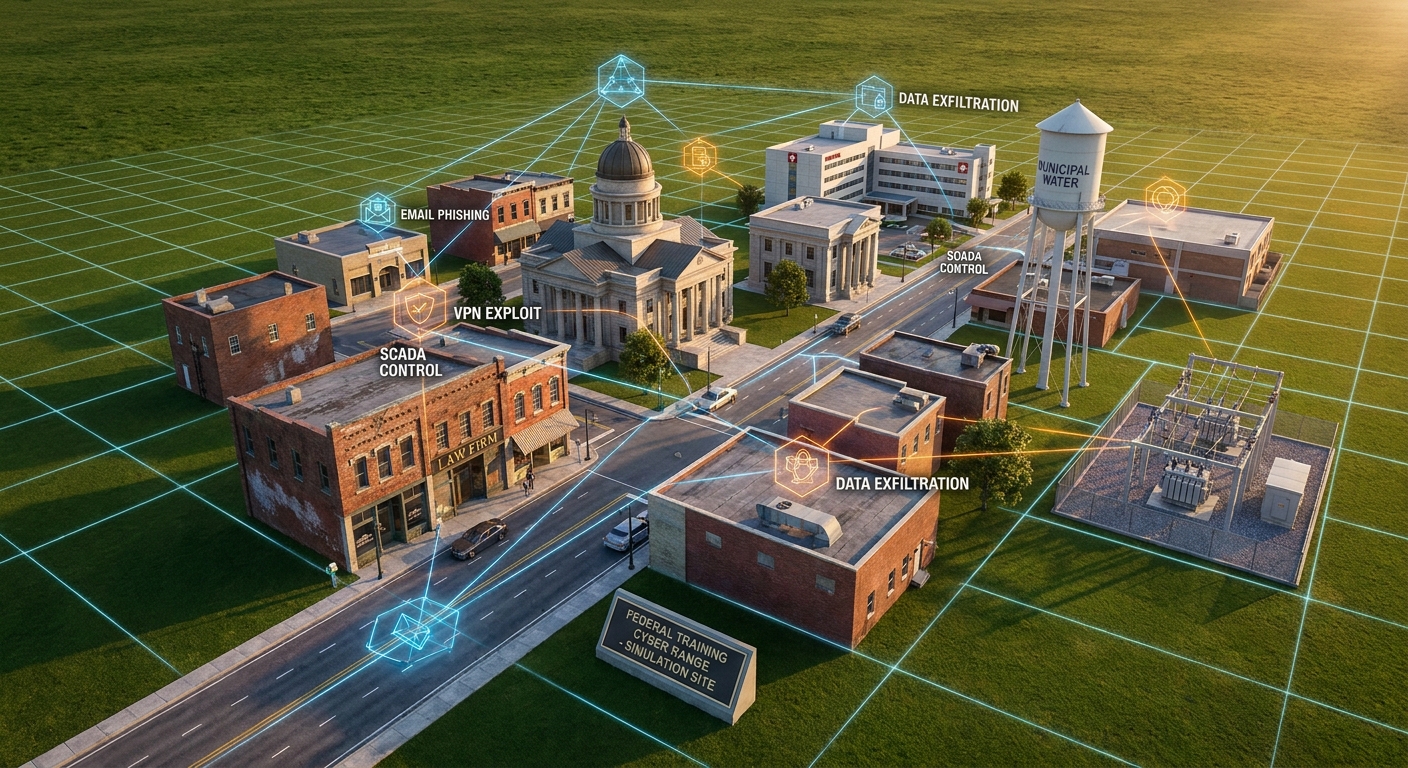
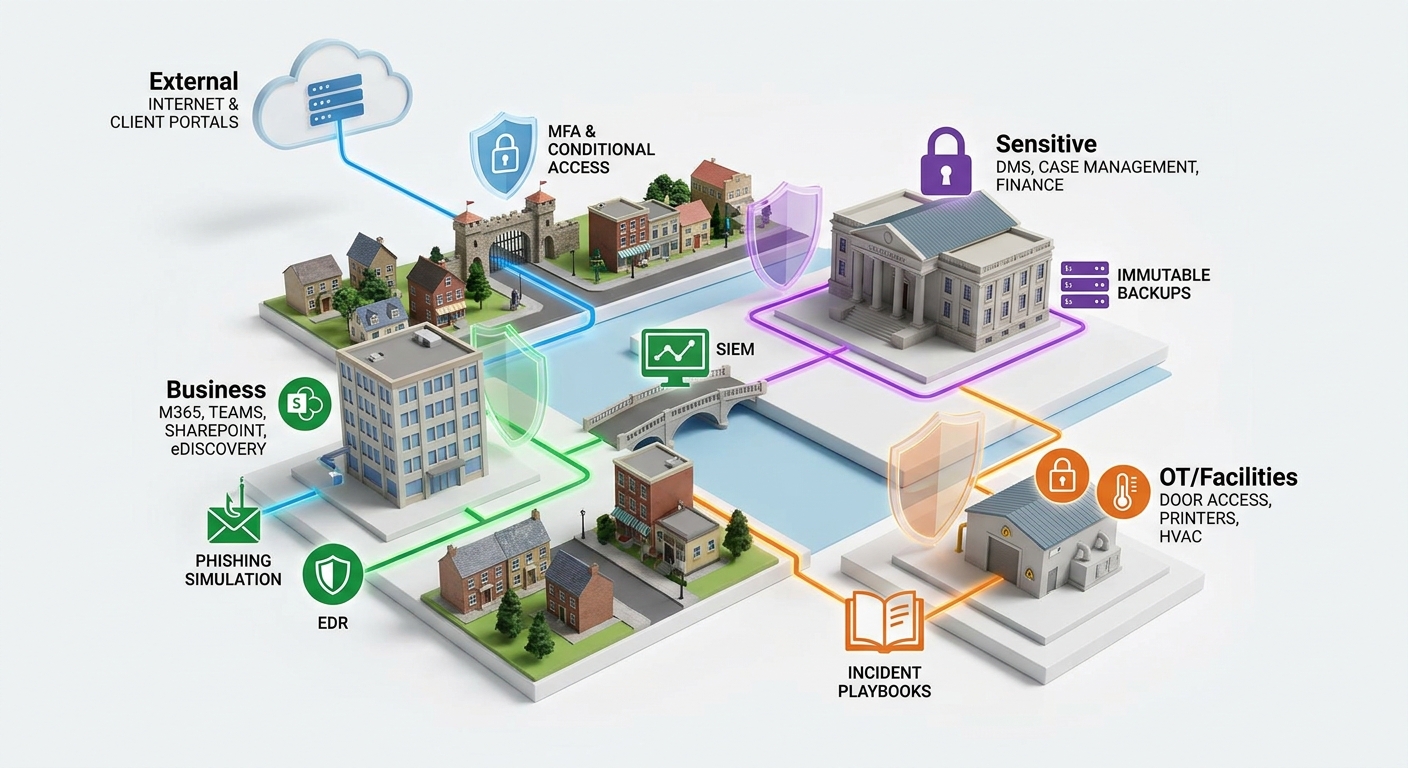
Federal replica-town exercises work because they model a whole community: bank, courthouse, hospital, utilities, and the roads and signals that connect them. Do the same with your firm by building a “mini city map” that shows systems, dependencies, and business processes end to end.
1. Build your firm’s map
- List “town districts” (practice groups and functions): Litigation, Real Estate, Family Law, Immigration, Corporate, Finance/Trust Accounting, HR, Marketing, and Operations.
- Under each district, list “critical services”: Client intake, conflicts checks, discovery review, e-filing, calendaring, court deadlines, settlement funds, and payroll.
- Map “infrastructure”: Email, Teams, SharePoint, DMS, case management, time/billing, client portals, eDiscovery, multi-function printers, door access/HVAC (if applicable), and your backup platform.
- Draw dependencies: For each service, specify the systems and data it needs, who owns it, and the RTO/RPO (how quickly you must restore and how much data loss is acceptable).
- Identify “intersections and traffic lights”: Shared identity (Entra ID), network/VPN, MFA, Conditional Access, mobile device access, and third-party vendors.
Pro Tip: Use a simple whiteboard or a one-page diagram with four zones: External (internet/clients), Business Apps (M365/Teams/SharePoint), Sensitive (DMS, case files, finance), and Facilities (printing/door access). Mark data flows with arrows and label owners.
2. Prioritize crown jewels
- Mark the five most business-critical items (e.g., DMS, email, trust accounting, calendaring, e-filing credentials).
- Attach legal obligations (client confidentiality, court deadlines, escrow rules) and quantify the impact of 24, 48, and 72 hours of downtime.
- Note where you lack redundancy (single admin account, no immutable backups, or no out-of-band contact method).
Stage 2: Design Three Real-World Attack Scenarios
In replica-town drills, a cyber event doesn’t just “hit a server”—it disrupts services citizens need. For your firm, scenarios must pressure client service, ethical duties, cash flow, and reputation. Start with three tightly scoped scenarios you can run in 90 minutes each.
Scenario A: Ransomware during active discovery
- Trigger: Malicious macro from opposing counsel’s spoofed email leads to lateral movement.
- Impact: Encrypted network share hosting production sets; looming court deadline.
- Objectives: Test isolation steps, restore from immutable backup, preserve chain of custody, and notify stakeholders.
Scenario B: Business Email Compromise (BEC) targeting trust funds
- Trigger: Compromised partner mailbox sends fraudulent wiring instructions to a title company.
- Impact: Potential misdirection of client funds; regulatory and ethical obligations to disclose.
- Objectives: Validate MFA/Conditional Access, message trace, eDiscovery search, client notification, and bank engagement playbook.
Scenario C: Supply-chain breach of a document add-in
- Trigger: A compromised add-in exfiltrates recent case files via API tokens.
- Impact: Client confidentiality exposure; need to suspend tokens and rotate secrets.
- Objectives: Exercise vendor risk process, revoke app consent, rotate keys, and run targeted data loss investigation.
- Write a one-page “inject sheet” for each scenario with timeline cues: T+0 (alert), T+10 (client call), T+20 (press inquiry), T+30 (regulatory consideration), T+45 (recovery decision), T+60 (status update), T+90 (hotwash).
- Define success metrics: mean time to detect (MTTD), mean time to isolate, mean time to recover (MTTR), and communication accuracy.
- Assign roles: Incident Commander (operations/IT lead), Legal/Ethics, Client/Matter Owner, Finance/Trust, Communications, and a Scribe.
Note: Keep drills “paper safe.” Do not detonate real malware. Use simulated alerts, lab tenants, or pre-captured logs/screenshots.
Stage 3: Build the Exercise Workspace in Microsoft 365
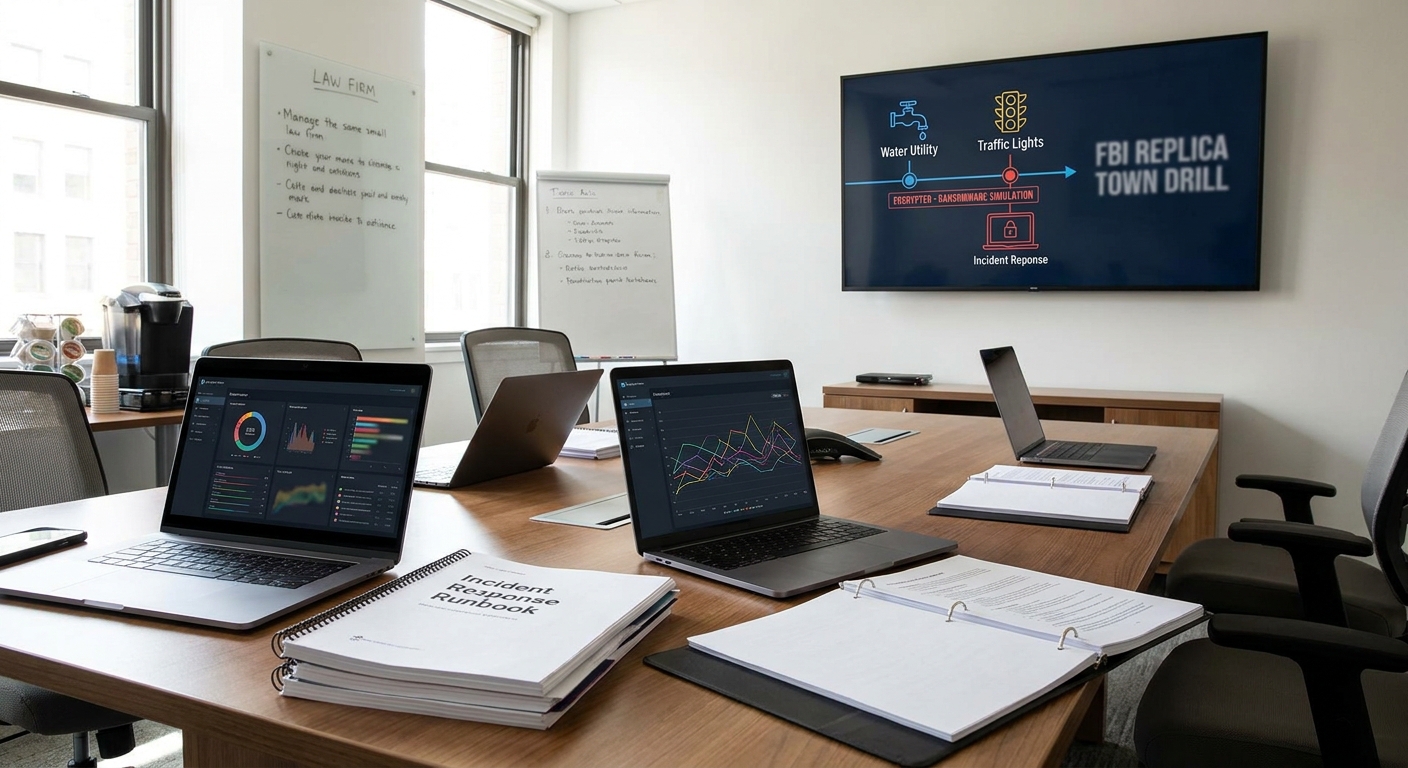
Use Microsoft 365 to run your drills, capture evidence, and standardize communications—just like replica-town teams coordinate across police, utilities, and city hall.
A. Create a dedicated Teams hub
- In Teams, create a team named “IR-ReplicaTown-Exercises.” Add channels: #announcements, #scenario-a-ransomware, #scenario-b-bec, #scenario-c-supply-chain, and #after-action-reviews.
- In each scenario channel, add tabs: SharePoint (playbooks), OneNote (injects/notes), and Planner (task board with owners and due times).
- Upload your Incident Response Plan and communication templates (client notification, insurer notice, regulator inquiry responses).
B. Prepare attack simulation and awareness
- In Microsoft 365 Defender, configure Attack Simulation Training for safe phishing tests that align with Scenario B.
- Enable Safe Links and Safe Attachments in Defender for Office 365 and document where alerts will appear during the drill.
C. Set up logging and evidence capture
- Ensure Unified Audit Log is enabled in Purview and that key workloads (Exchange, SharePoint, Entra ID) are captured.
- Create a secure SharePoint “Evidence Locker” library with versioning/retention. Store screenshots, exported logs, and the scribe’s notes.
- For firms using SIEM, connect Microsoft 365 to Microsoft Sentinel and prepare a workbook to visualize drill timelines.
Pro Tip: Use Microsoft Forms to collect time-stamped participant decisions (“Would you take the server offline now?”) so you can graph decision latency in the hotwash.
Stage 4: Implement and Validate the Controls You’ll Test
Replica-town drills expose weak intersections—like an unprotected traffic light that causes a pileup. Validate these core “intersections” before the drill so you’re testing response, not hunting for license keys.
1. Identity and access (zero trust basics)
- Require MFA for all accounts. Use number matching and phishing-resistant methods where possible.
- Build Conditional Access policies in Entra ID: block legacy auth, require compliant devices for admins, enforce location/device risk conditions.
- Create break-glass emergency accounts stored offline with monitored exclusions and quarterly tests.
2. Email and collaboration defenses
- Enable anti-phishing policies targeting executive domains and lookalike senders. Turn on impersonation protection for partners and finance staff.
- Configure Safe Links/Attachments for Teams, SharePoint, and OneDrive to catch malicious content shared in channels.
- Publish DMARC/DKIM/SPF and monitor for spoofing attempts.
3. Endpoint and device hygiene
- Onboard devices to Microsoft Defender for Endpoint. Enforce disk encryption, tamper protection, and attack surface reduction rules.
- Use Intune to mandate OS patching, minimum OS versions, and block jailbroken/rooted devices.
- Define isolation procedures (e.g., automated device isolation on high severity alerts).
4. Data protection and eDiscovery
- Classify sensitive data (client names, matter IDs, SSNs) with sensitivity labels. Apply encryption and access restrictions for “Client Confidential.”
- Enable Data Loss Prevention (DLP) policies for email and SharePoint to prevent accidental leaks during a crisis.
- Prepare Purview eDiscovery Standard/Advanced cases to search compromised mailboxes quickly.
5. Backups and recovery
- Verify immutable backups for DMS, file shares, and critical SaaS data. Document RPO/RTO for each system.
- Test a representative restore of a discovery folder tree and a partner’s mailbox into a clean recovery space.
- Maintain offline “grab-and-go” contact lists and a printed runbook in case accounts are locked.
6. Monitoring and alerting
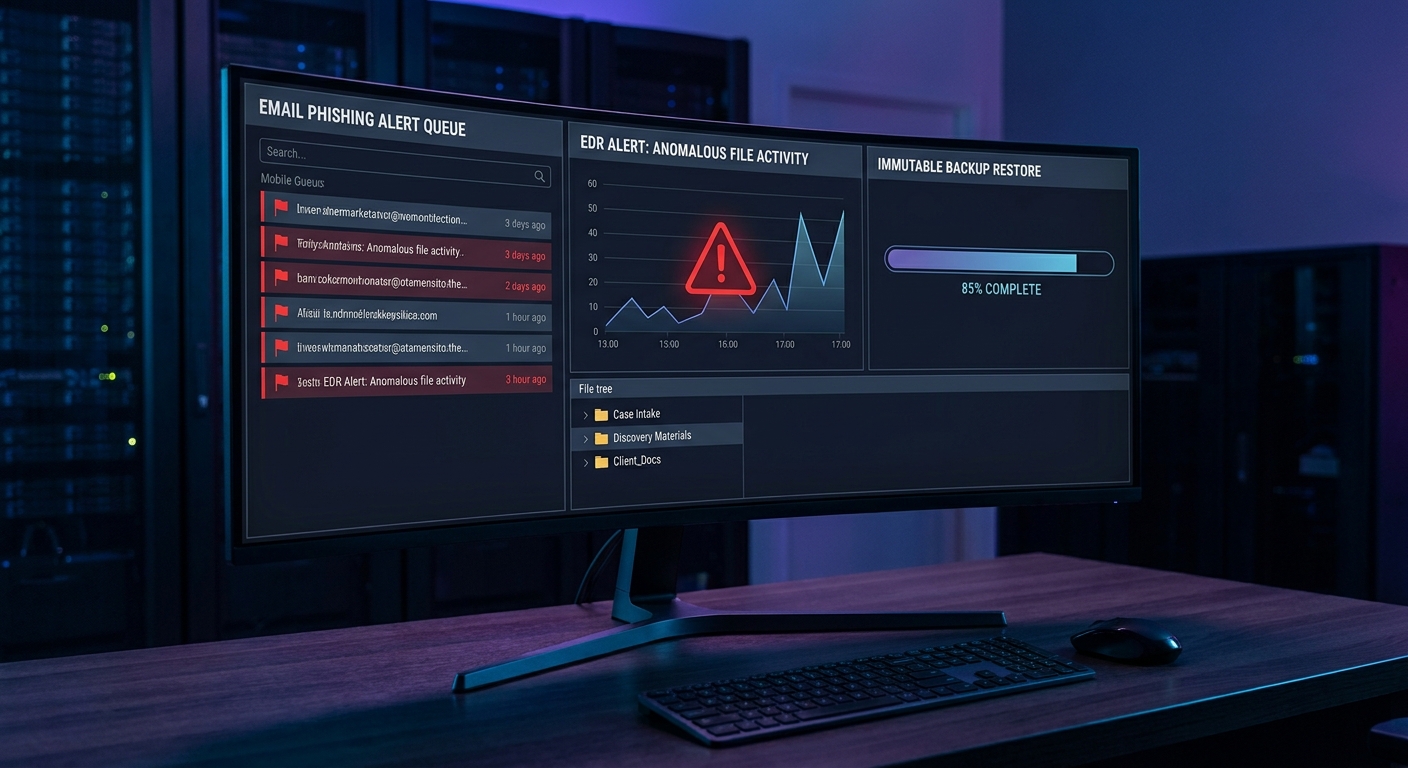
- Standardize alert routing: who gets the page, where it posts in Teams, and fallback contacts.
- Tag assets by business function (e.g., “TrustAccounting,” “Discovery”) so SIEM dashboards show business impact, not just technical alerts.
- Document which alerts trigger immediate containment and which require leadership approval.
Stage 5: Run the Drill, Capture Evidence, and Measure Readiness
Now bring it together like a replica-town exercise: timed injects, coordinated roles, and decisions under realistic pressure.
A. 90-minute runbook
- T+0 (Alert): Facilitator posts the initial alert in the scenario channel (e.g., suspicious encryption behavior on the DMS server).
- T+10 (Client impact): A partner role-plays a client asking if deadlines are at risk. Incident Commander sets communication cadence.
- T+20 (Containment decision): Team decides whether to isolate devices, revoke tokens, or disable accounts. Scribe records rationale.
- T+30 (Regulatory/Ethics check): Legal/Ethics identifies notification thresholds and documents reasoning.
- T+45 (Recovery choice): Decide to fail over or restore from immutable backups for a targeted folder/mailbox.
- T+60 (Status update): Draft internal and client-facing updates using templates. Finance confirms any wire holds.
- T+75 (Forensics & eDiscovery): Run a Purview search on indicators of compromise. Export results to Evidence Locker.
- T+90 (Hotwash): Summarize what worked/what didn’t, capture metrics, and assign improvements in Planner.
B. Communications and decision quality
- Use pre-approved templates for client notifications and insurer/regulator notices to reduce drafting delays.
- Require decisions to be time-stamped with the reason and evidence used. This supports defensibility if questioned later.
C. Recovery test (tabletop-friendly)
- Perform a live, limited restore to a quarantine location and confirm file integrity and access control.
- Demonstrate mailbox item recovery for the compromised user without overwriting existing data.
D. Metrics you can present to leadership
- MTTD/MTTR: Minutes to detect and minutes to contained recovery.
- Decision latency: Time from alert to first isolation, to client update, and to insurer notice.
- Coverage: Percentage of crown-jewel systems with tested backups and sensitivity labels.
- Control effectiveness: Phishing simulation failure rate trend and conditional access blocks.
Pro Tip: Align findings to NIST CSF 2.0 functions—Identify, Protect, Detect, Respond, Recover—and to CIS Controls v8. Executives and insurers recognize these frames.
Troubleshooting Roadblocks and Solutions
| Roadblock | Solution |
|---|---|
| Partners resist drills due to billable time pressure. | Run 60–90 minute sessions at month-end close; tie to insurer discounts and ethical duty to safeguard client data. |
| No clear incident commander; decisions stall. | Pre-assign Incident Commander and an Alternate in the plan; put their names and phone numbers on page 1. |
| MFA isn’t universal; a mailbox gets compromised in testing. | Enable tenant-wide security defaults or Conditional Access; require phishing-resistant methods and disable legacy auth. |
| Backups exist but restoration steps are undocumented. | Create a 10-step restore SOP with screenshots; test quarterly and record RTO/RPO results. |
| Vendors are slow to respond during drills. | Add vendor SLAs and emergency contacts to the runbook; require acknowledgment during onboarding and annual reviews. |
| Legal team worries about creating discoverable records. | Use clear labeling and retention policies; keep factual logs and avoid speculative language in hotwash notes. |
| Participants get lost in technical details. | Use business-impact injects (“client escrow at risk in 2 hours”) to focus decisions; keep technical deep dives for follow-up. |
| Shadow IT tools appear mid-drill. | Capture as a finding; route to vendor risk intake; replace with sanctioned apps and revoke unsanctioned access tokens. |
| Alerts are noisy; nobody sees the important one. | Route critical alerts to Teams, email, and phone; tune rules and create severity-based escalation paths. |
| People don’t know how to isolate a device or mailbox. | Pre-build one-page “How to Contain” job aids with annotated screenshots for Defender and Entra ID actions. |
Success Checklist
- We have a one-page “replica town” map showing systems, owners, dependencies, and crown jewels.
- Three written scenarios with inject timelines, roles, and measurable objectives are ready to run.
- Microsoft 365 Teams hub is configured with channels, tabs, templates, and an Evidence Locker.
- MFA and Conditional Access are enforced for all users; legacy authentication is blocked.
- Defender for Office 365 policies (Safe Links/Attachments, anti-phish) are active and tested.
- All managed devices are onboarded to Defender for Endpoint with isolation procedures rehearsed.
- Data classification and DLP are in place for client-confidential material; Purview eDiscovery is pre-configured.
- Immutable backups for DMS, file shares, and key SaaS data are verified with a recent test restore.
- Alert routing, on-call contacts, and emergency “break-glass” accounts are documented and tested.
- Metrics (MTTD, isolation time, recovery time) were captured and presented with next-step improvements.
Conclusion & Next Steps
Replica-town simulations work because they reveal how a single failure can cascade across a community. Your firm is a micro‑city too—where a compromised mailbox can threaten escrow funds, discovery deadlines, and client trust. By mapping your environment, designing realistic scenarios, and running disciplined Microsoft 365–powered drills, you turn cybersecurity from a set of tools into a practiced capability. Keep iterating: rotate scenarios quarterly, expand to include key vendors, and benchmark against frameworks like NIST CSF and CIS Controls. Within a year, you’ll have measurable improvements in detection, decision speed, and recovery—along with a confident team that treats security as part of excellent client service.
Ready to explore how you can leverage technology and AI? Reach out to info@legalgpts.com today for expert guidance and tailored strategies.